
Comparison guide
Comparing your Shopify order editing options
How to edit your orders: Cleverific vs. Shopify native editing
Depending on your business needs, you might use Shopify's native editing or require Cleverific's more robust features for complex workflows. This comparison covers five main categories:
- Modifying line items
- Changing customer and order information
- Editing taxes
- Issuing refunds
- Adding discounts
Shopify Native Editing
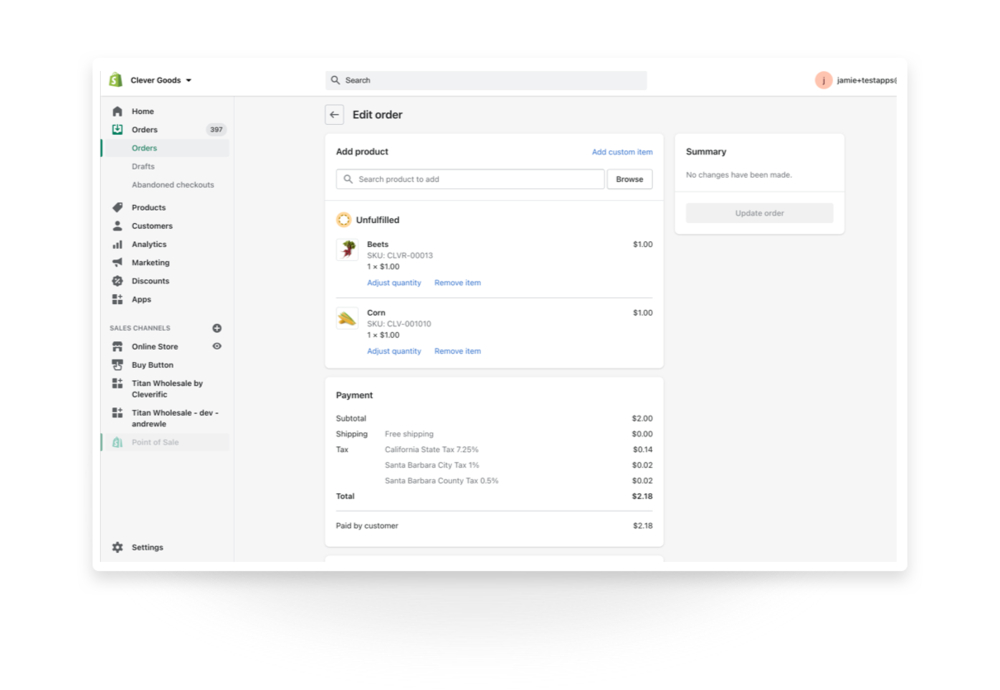
Shopify's native order editing allows merchants to remove or add items to orders while the backend handles the order total, taxes, inventory and customer notifications.
Cleverific Order Editor
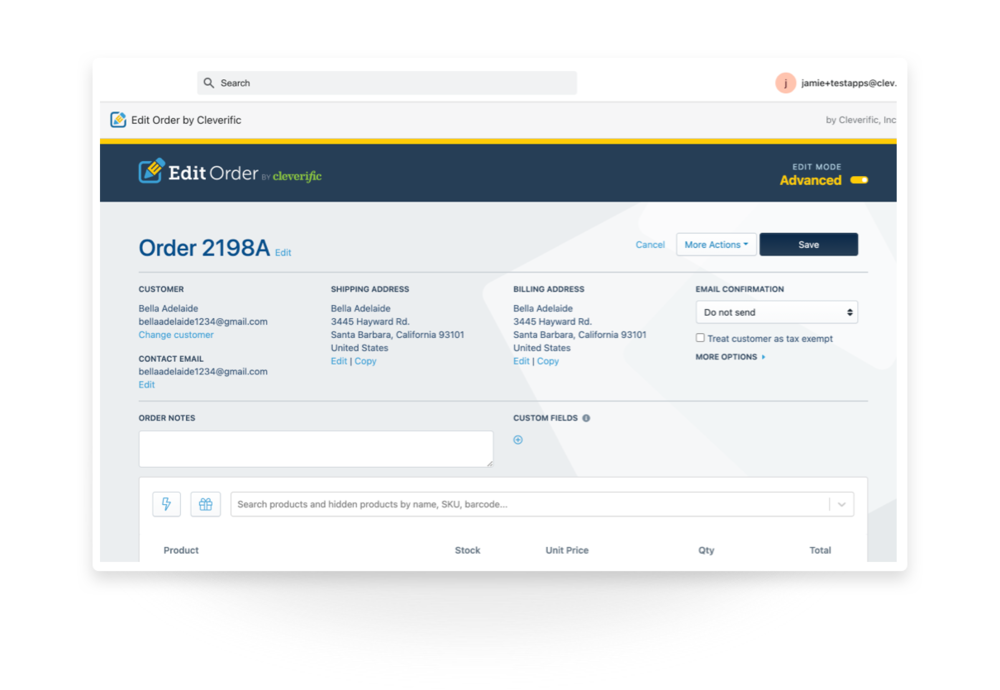
Cleverific offers two editing modes:
- Quick Mode: All edits are saved on the original order
- Advanced Mode: A "save-as" is performed, which cancels the original order and applies payment to an edited version
Feature Comparison
| Features | Quick Mode | Advanced Mode | Shopify |
|---|---|---|---|
| Add/remove item | |||
| Adjust item quantity | |||
| Add line item discounts | |||
| Automatic refunds | |||
| Change customer details | |||
| Edit taxes | |||
| Edit orders after 180+ days | |||
| Edit archived orders | |||
| Automation with Shopify Flow |
Modifying Line Items
Where Order Editor pulls ahead is Advanced Mode's ability to edit existing line item properties.
Advanced Mode capabilities:
- Add/remove line items
- Add/remove custom items
- Adjust line item quantity
- Exchange variants inline
- Add/remove/modify product options
- Add/edit/remove product weight
- Modify line item price
- Change order of line items
- Cancel item fulfillment on an order
Shopify supports basic operations: add/remove products and adjust quantities.
Changing Customer and Order Information
Shopify doesn't provide the option for changing customer accounts or billing addresses on an order.
Quick Mode capabilities:
- Change customer email
- Change shipping address
- Change billing address
- Switch customer
- Change order date
- Change order name
Advanced Mode additions:
- Modify shipping rates
- Add pricing rules to an order
Shopify-only features:
- Change customer phone number
- Update order tags
Editing Taxes
Advanced Mode can make tax edits on line items, and treat a customer as tax-exempt even if the order has already been placed.
Advanced Mode features:
- Set up default tax charges
- Modify taxes for line items
- Mark customer tax exempt on order
Shopify does not allow tax edits through the order editing interface.
Issuing Refunds
Both Shopify and Order Editor let you execute a refund, but the processes are different for each tool.
Shopify will let you perform multiple refunds on an order. Both Quick Mode and Advanced Mode can refund the customer on your first edit, but you will need to do a manual refund on any following edits.
Features (both modes):
- Initial edits are refunded automatically
- Customize the amount to refund
- Remove an item from the order
Adding Discounts
Shopify allows you to change line item prices when you create a draft order to send to your customer.
Quick Mode & Advanced Mode features:
- Discount a newly added item
- Increase existing line item price
- Decrease existing line item price
- Discount existing line item by percentage
- Discount existing line item by dollar amount
Advanced Mode exclusive:
- Add cart discounts on order
Order Editor's Standout Features
- Let customers make changes without contacting support via Customer Portal
- Add groups of saved products to orders with a button
- Automatically refund your customer after the first edit
- Save unique invoice messages for Payment Requests
- View each customer's Average Order Value (AOV), Order History, and Total Spend on the order
- Get the full product SKUs you expect in your search results
Final Verdict
While Shopify offers user-friendly order editing for new entrepreneurs, experienced ecommerce owners need more customization and complexity. Manage intricate order edits, custom discounts, and advanced promotions not possible on Shopify alone.
Self-serve order editing
Let customers fix
their own orders.
Give shoppers a short window to edit their Shopify orders after checkout. Cut your most frustrating support tickets and capture more revenue before fulfillment.