
Tuesday, February 16, 2021
Payment Requests: Clearer invoice emails for customers and more convenience for you
Deliver order changes to your customers on a silver platter with improved Payment Requests
Payment Requests gives your customers the information they need to pay with confidence.Charge for an additional amount, and your customers will see the items they bought along with a convenient pay now button!
With this update, you will be able to
- Show your customers order changes in one email
- Give your customers transparency on every charge
- Allow customers to pay additional amounts they owe through your current Shopify checkout
- Receive customer payments directly on one order in your admin
And now, the best news for you and your team is thatadjustment orders have been removed and you'll no longer have to deal with a second orderto collect payment.
A cleaner, more informative invoice email
Edit Order nowincludes a convenient pay now button, an updated list of items, and a breakdown of the total amount owed in your customer’s email. Customers will see all of the additional charges they’re paying, and you’ll receive payment on the original order instead of using a separate one for collecting payment.
And when you make your edits, like upgrading shipping or easily adding a new item, your customer will be notified about the additional amount they owe in an email using ourPayment Request Email Template, nowwithout an extra Order Confirmation email.
One more thing: if you have a Shopify custom domain and enhanced email security for it, completethis stepto give Edit Order permission to send emails for your store so customers will receive your payment requests.
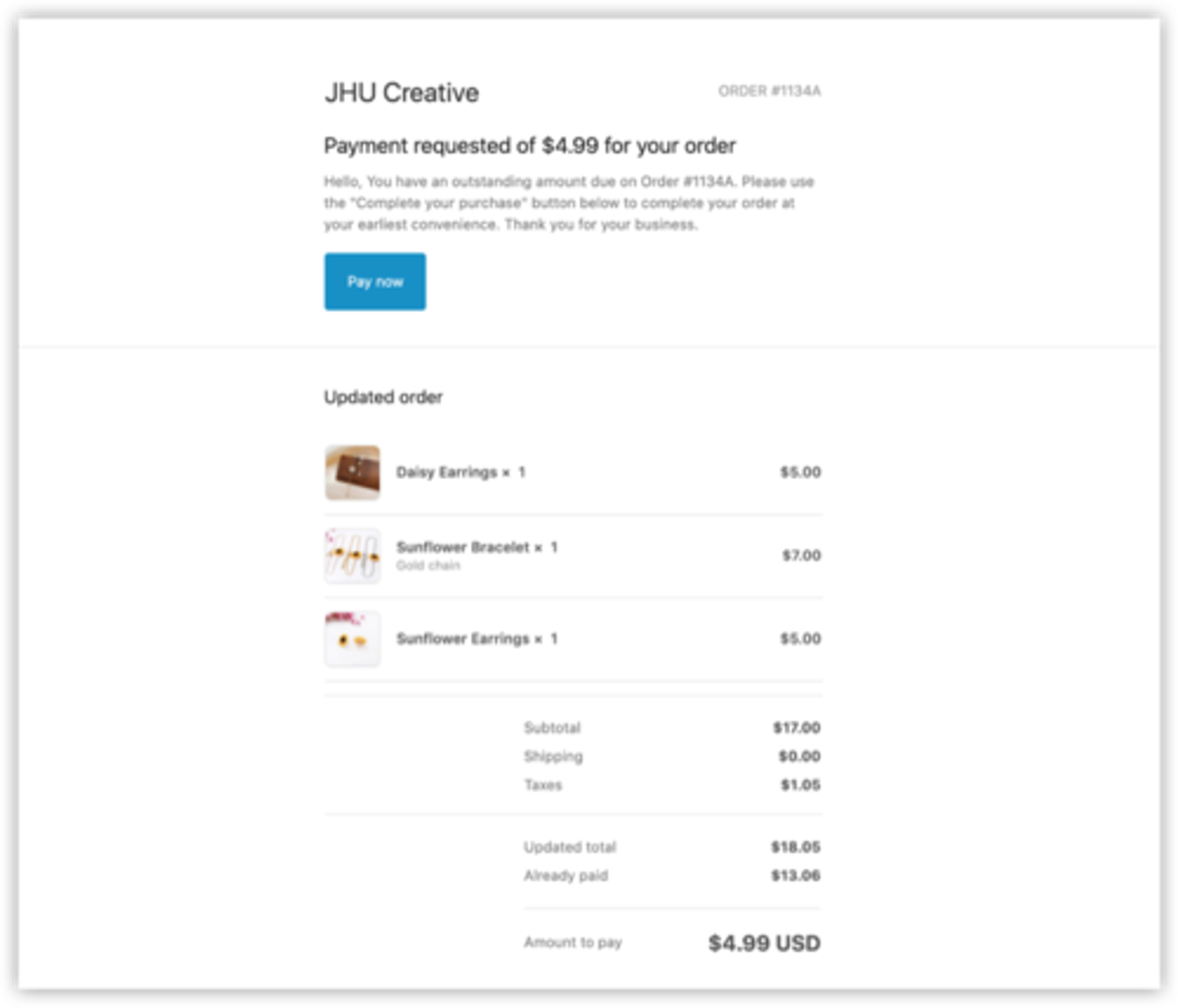
Show your customers exactly what they’re paying for
Your customers willsee any order changes, including new products or price discounts,in their Shopify invoice.
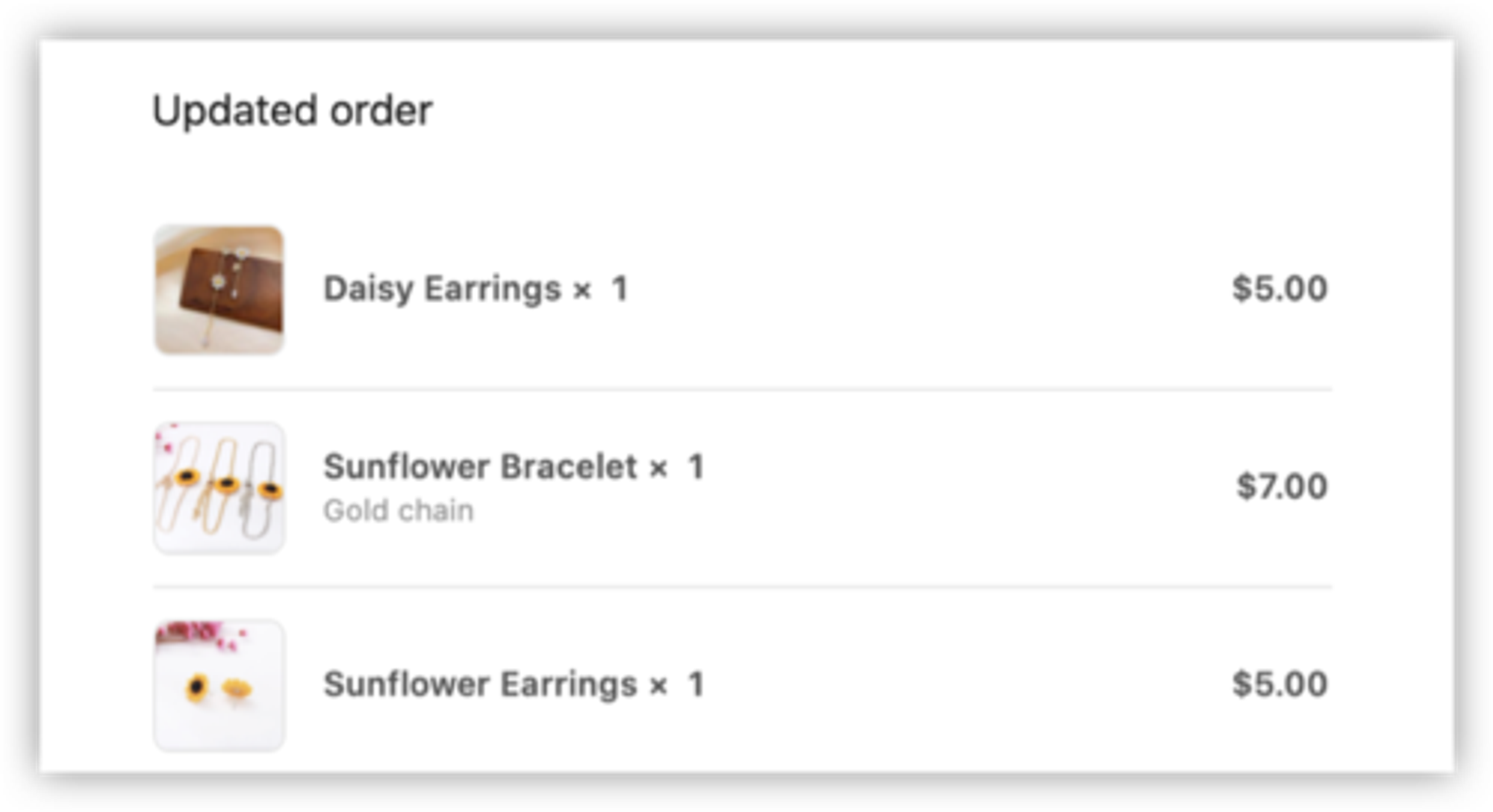
Give your customers full transparency on every charge
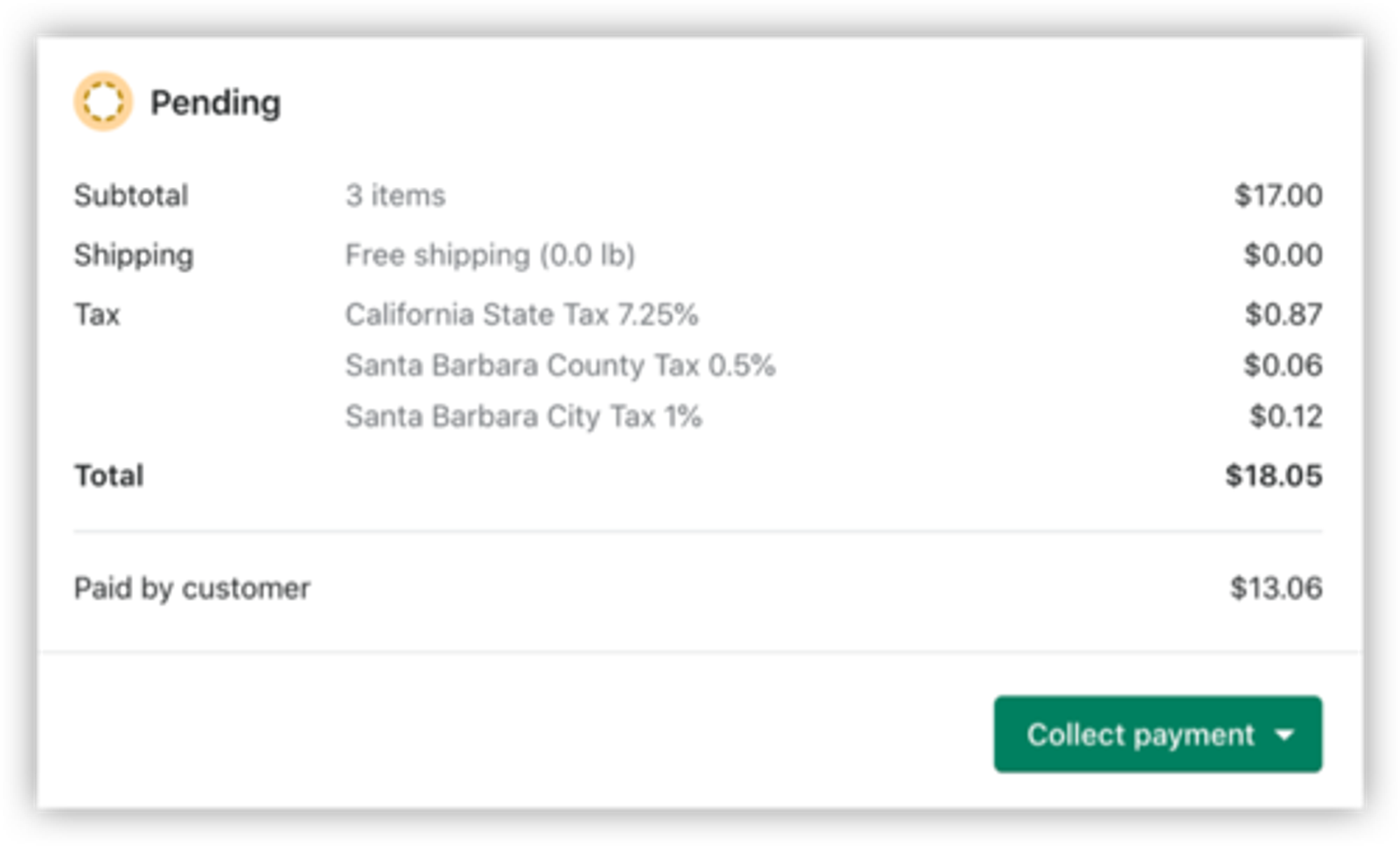
Your customers will see a completebreakdown of their updated order, including the amount already paid, amount to pay, shipping (if included), and taxes.
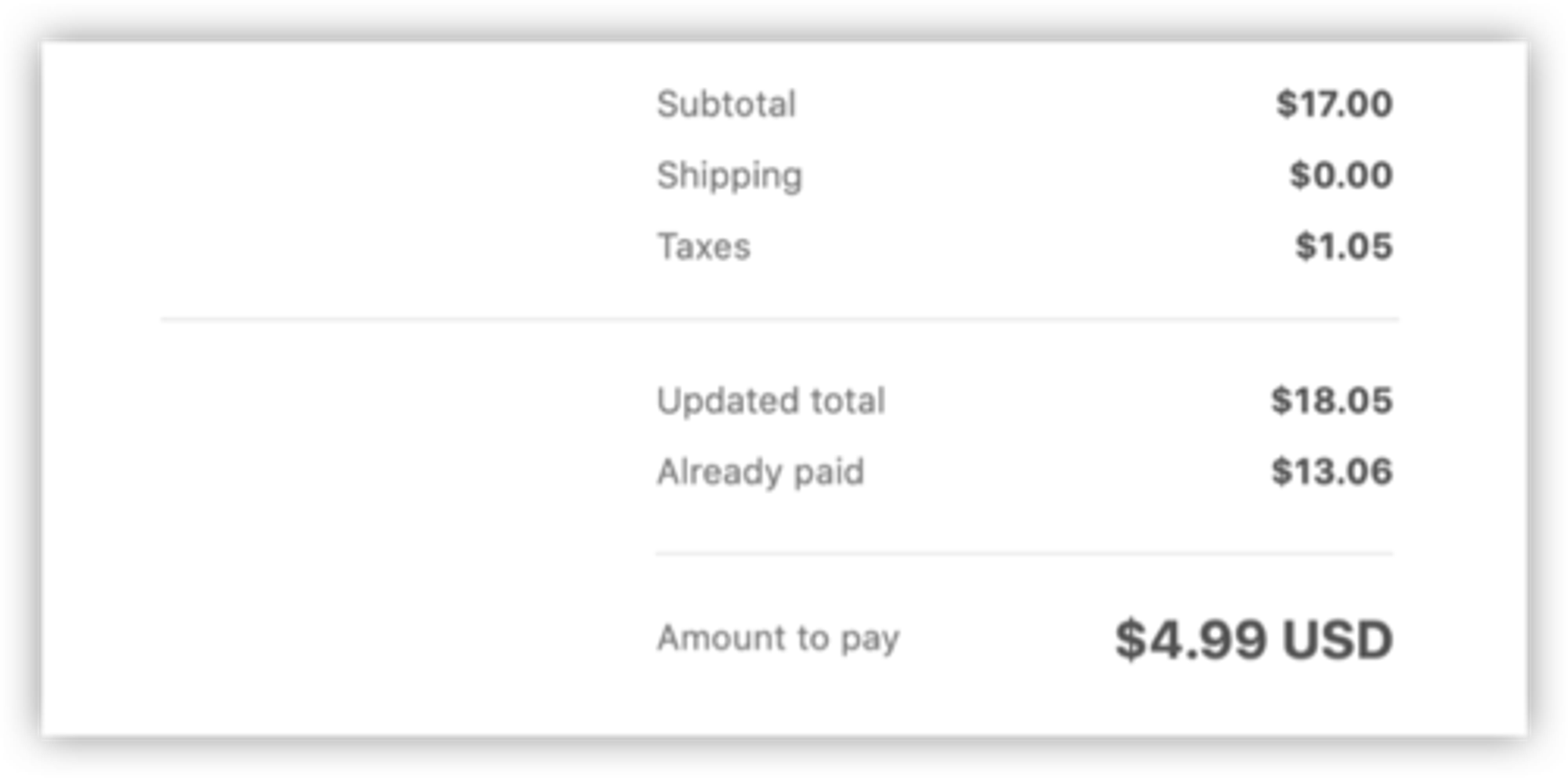
Make payment clear and convenient for your customers
Your customers can pay for the additional amount they owe with the click of a button, sending them right to your existingShopify checkout.
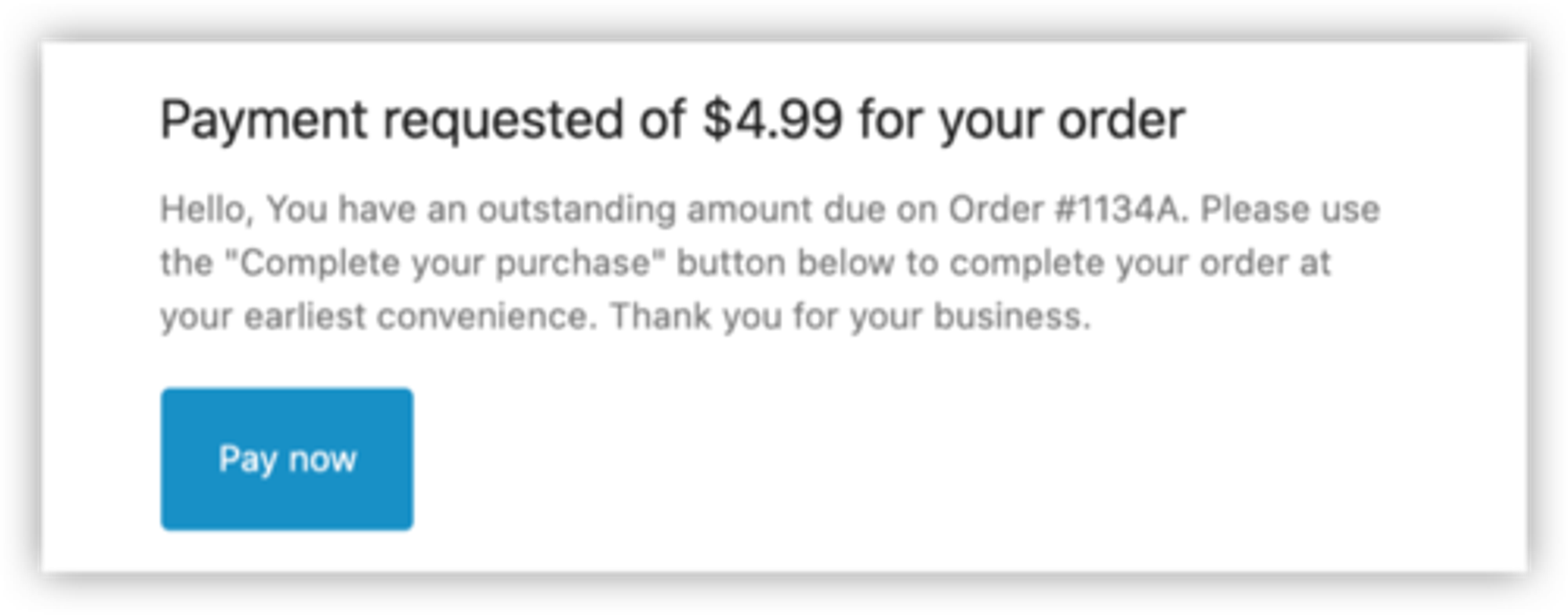
Receive your customer’s payment on one order
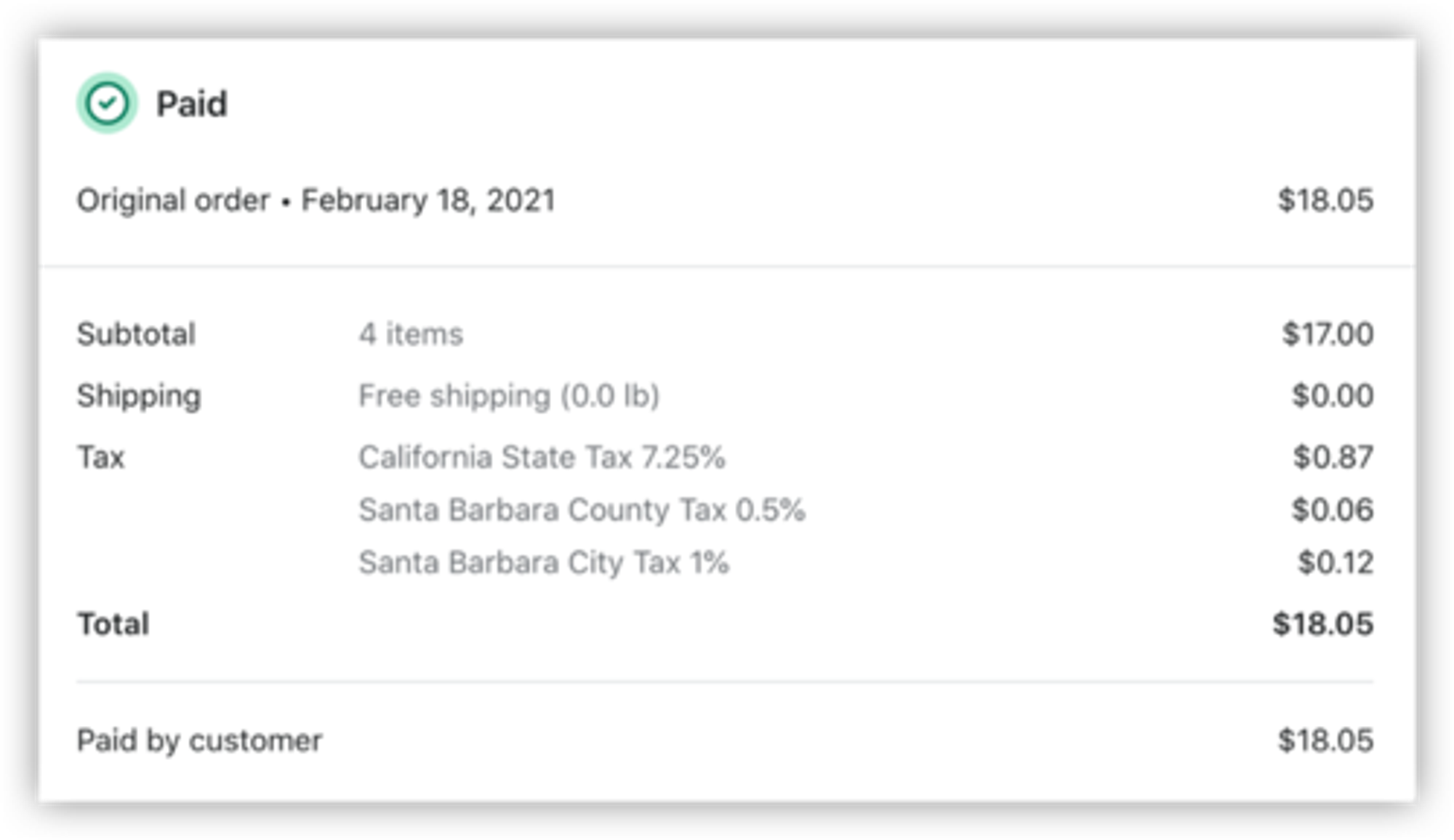
Once your customer pays their outstanding amount, you’ll no longer get an adjustment order in your order list. Instead, you’ll receive paymentdirectlyon the original order.
Before payment
After payment is received
What about existing payment requests?
Don’t worry! There’s nothing you need to do.This update only affects new payment requests, and won't affect any existing ones that you have pending.Your current orders and payment requests will remain the same and be fully accessible when you need them.
Sending a lot of payment requests? Here’s a pro-tip! 💪
Use Custom Message Templates with Edit Order to save convenient messages that reflect the personality of your brand. Save messages in different languages, for wholesale or custom products, and more! Learn more details on how and where to get started:
Recent posts

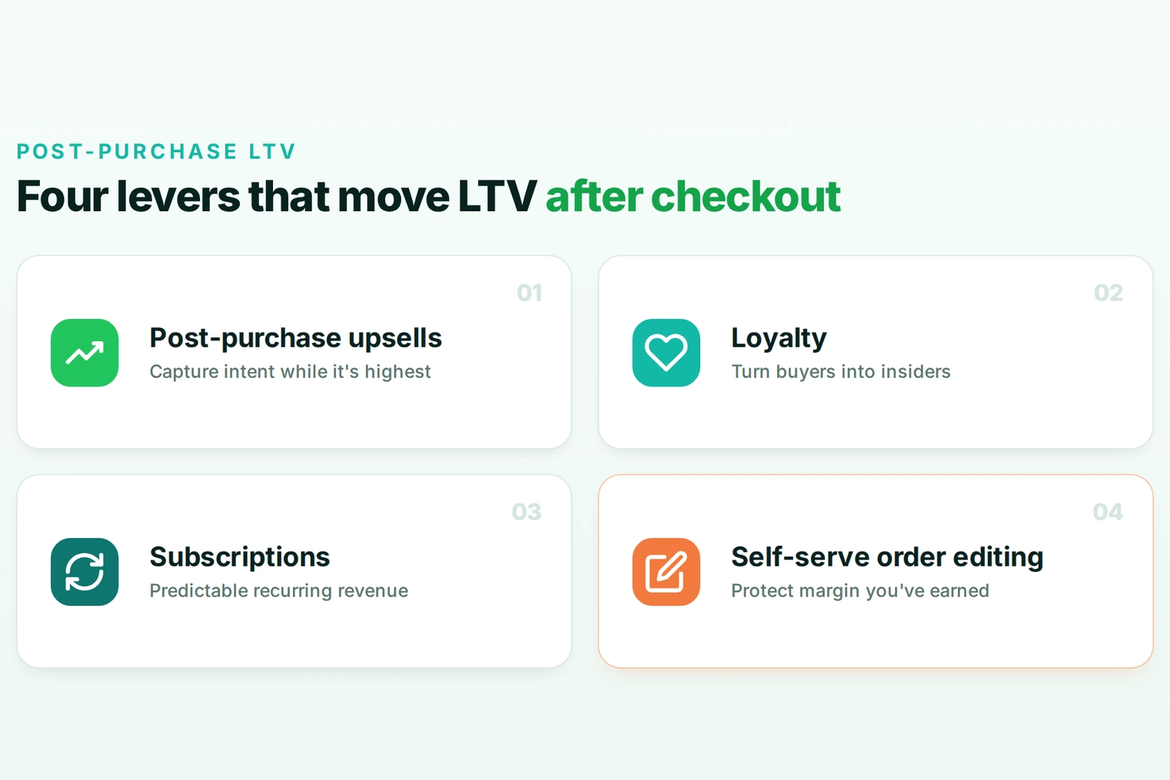
Self-serve order editing
Let customers fix
their own orders.
Give shoppers a short window to edit their Shopify orders after checkout. Cut your most frustrating support tickets and capture more revenue before fulfillment.