
Monday, June 14, 2021
Between 5 product options apps: The best Shopify product customizer for you
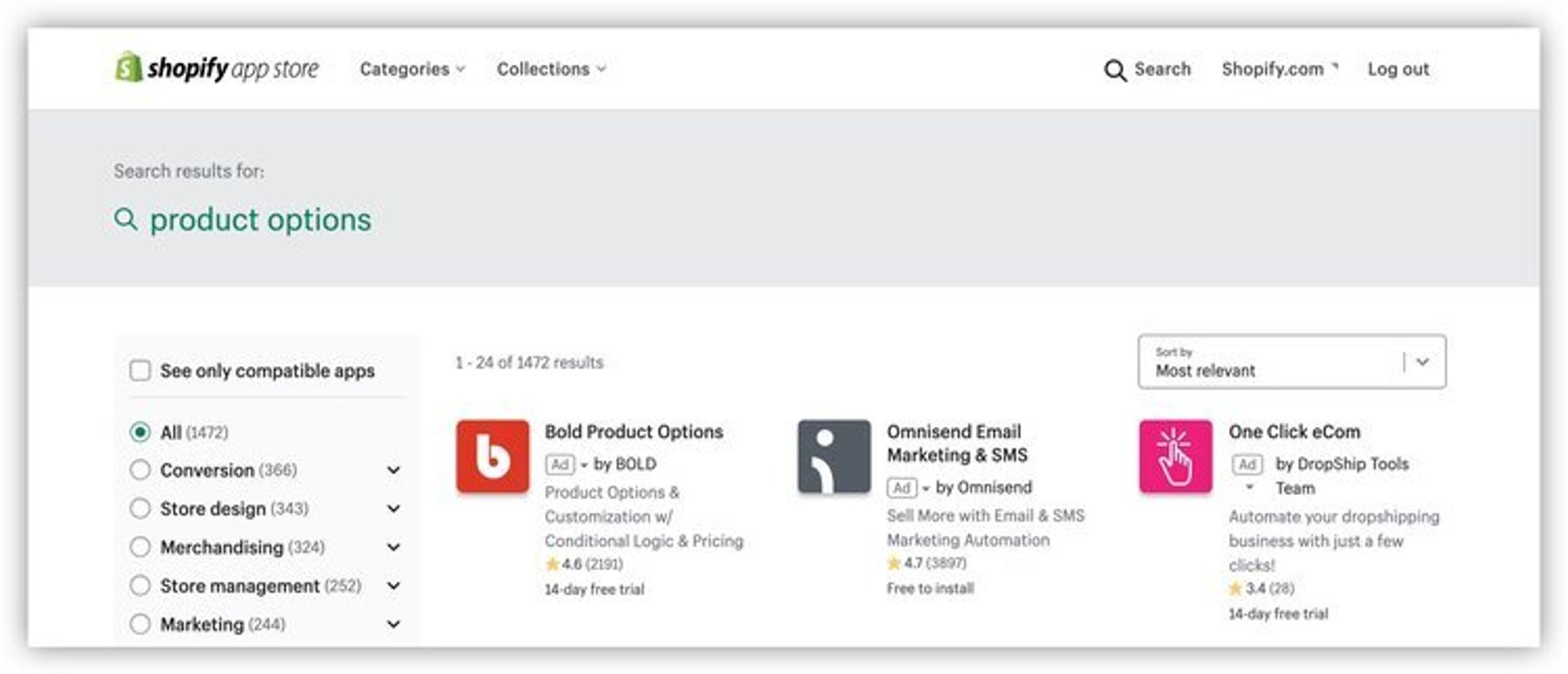
Product options apps on Shopifycan remove the frustration caused by diversifying your product line and selling customized products.
Customers have a growing want (let's call it a need) for customization and personalization in ecommerce.According to Infosys,86% of customers who have experienced personalization while shopping say that it influences what they purchase.Shoppers expect businesses to prioritize these offerings, from personalized marketing content to customized products, likeNike's "Nike By You" custom shoes.
When selling on Shopify, product options apps are essential because Shopify only gives youthree variant options per product. Product options apps simplify the selling process and let youprovide more variants and customizations to your customers.
To help you make better business decisions,we analyzed the differences between the top-rated product options apps in the Shopify App Store.There are plenty to choose from, and we know from experience that the time it takes to research which Shopify product customizer is best for your business can be just as arduous as not using one in the first place.
The top five apps, in no particular order:
- Infinite Product Options by HulkApps.com
- Variant Custom Product Options by Relentless Apps
- Product Options and Customizer by Product Customizer
- Infinite Options by ShopPad Inc.
- Bold Product Options by BOLD
All of the apps in this post offer:
- Color swatches
- Dropdown menus
- Radio buttons
- Text boxes
- Conditional logic
The real difference is in installation, usability, monthly cost, and extra features like templates, price add-ons and tooltips.Here's our breakdown of the five best product options apps. They've all been vetted for providing excellent customer service and are user-friendly (though some more than others!).
By the way,this is NOT sponsored content.We tested many apps to figure out which top five you should consider for your ecommerce business.
Top 5 Shopify product options apps
In the following sections, you’ll see a basic overview for each app, including the ideal candidate, great use cases, and more. You can use this information, along with our comprehensive feature comparison worksheet, to make the best decision for your business.
Top pick: Variant Custom Product Options
If you don't read any further than this,Variant Custom Product Optionsby Relentless Apps is the best overall product options app and checks the majority of boxes with their features and ease of use.

Infinite Product Options by HulkApps.com
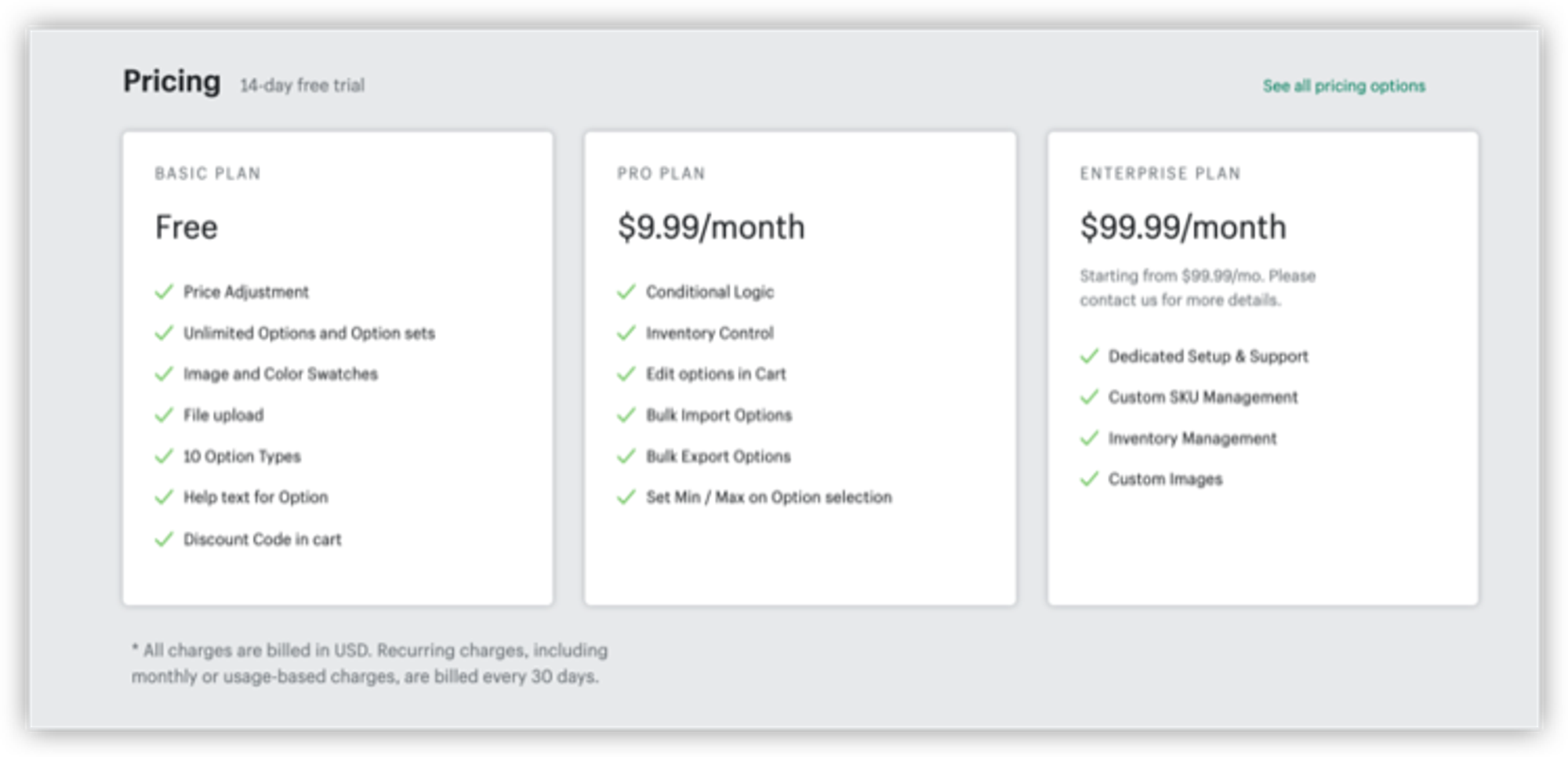
Price:Free-$100/month •Trial:14-day free trial •Installation type:manual
Great for
We recommend you pick this app if you have asmall clothing or jewelry businesswith room for growth. Start on the free plan and move to the pro as you see your business generate more revenue with the app.
App overview
This app by HulkApps is the most budget-friendly product options app. It is valuable for small, growing stores and large merchants who want to make the product customization process easy for their customers. This app's unique feature is its great dashboard with a display for the revenue generated by the app. The onboarding process is great. However, if your store is highly customized you'll have to manually place a code snippet in your theme or wait up to four business days for HulkApps to do it for you.
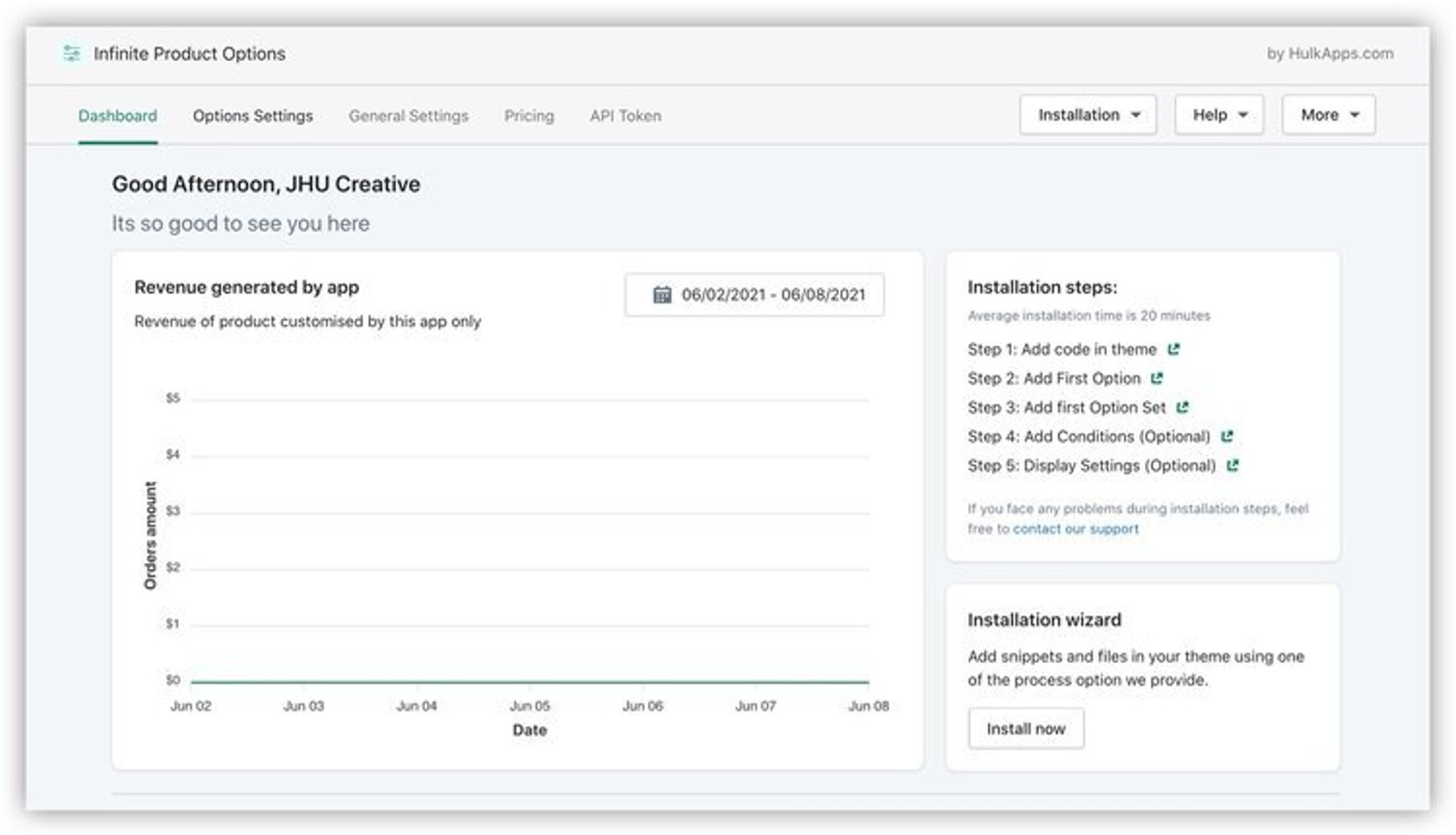
After downloading the app, you’ll see this dashboard that includes a graph that will display revenue generated by the app.
App features and limitations
- Doesn't create multiple products for all your product options
- File uploads
- Display options include swatches, dropdowns, radio buttons, text boxes, and file upload
- Has conditional logic so you can charge additional prices for different options (Pro plan)
- Customizable display text, values, total amount notes, button settings, and swatches
- Advanced styling with CSS
- Has a revenue feature where you can see how much revenue the app generated
- Has three different installation methods: automatic (might not work on customized themes), Expert installation (up to 4 business days, unless paying extra for premium support), manual installation
- Can import and export product options
- Has helpful tooltips when you're setting up options
- Can create options sets to apply multiple options to products
- Has an FAQ and troubleshooting guide
- App is mobile optimized when setting up options
- Manual installation - you have to insert a code snippet into your theme
- Upon install, you'll have to manually remove the code snippet from your theme
- If you change themes, you'll have to reinstall the app
- Not optimized for mobile on storefront
Variant Custom Product Options by Relentless Apps
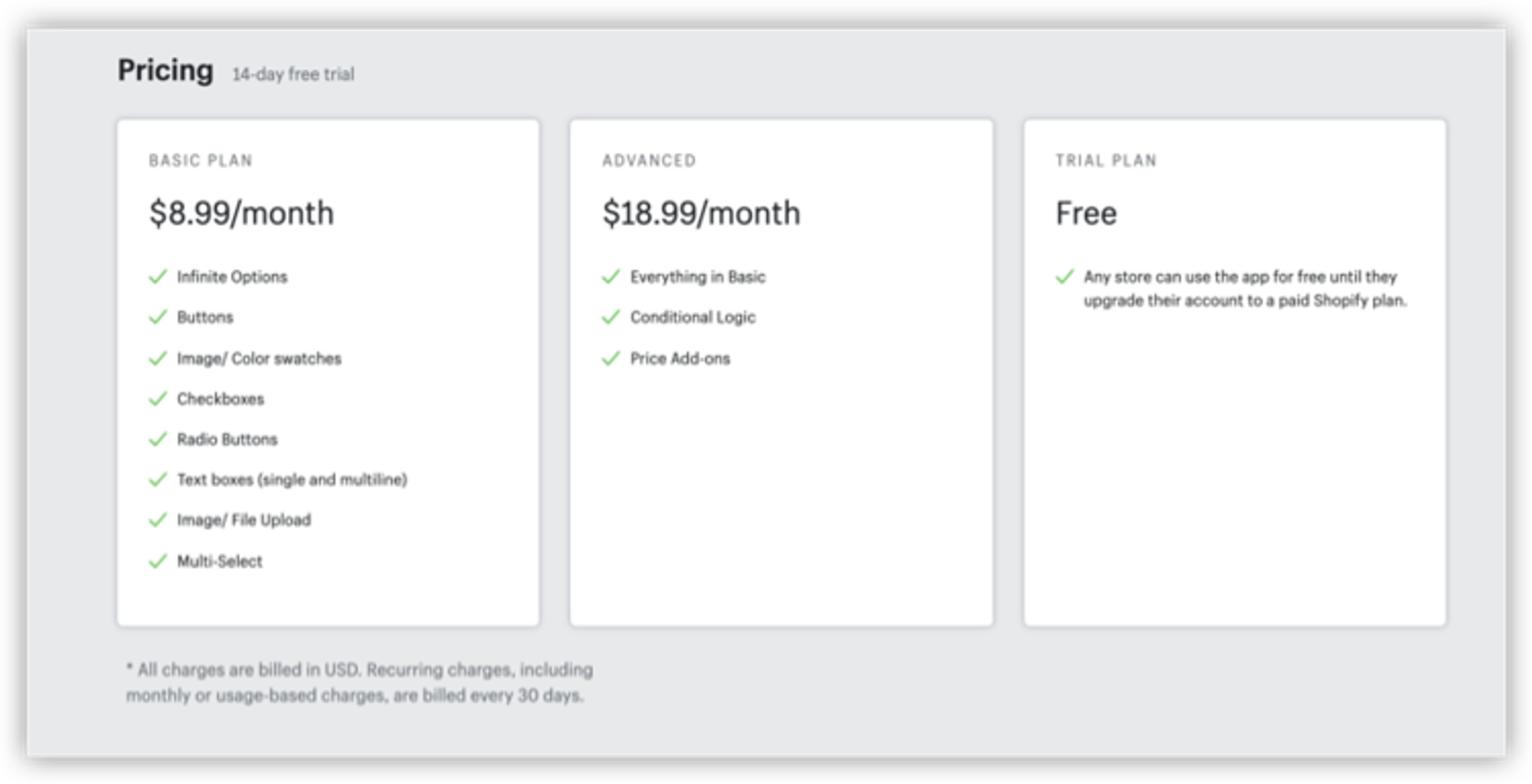
Price:$8.99-$18.99/month •Trial:14-day free trial •Installation type:automatic
Great for
We recommend you pick this app ifyour store is highly brandedand you need extra tweaks to make your options match your branding perfectly.
App overview
Variant Custom Product Options is on the more budget-friendly side. We love their ease of use, and they have an automatic installer on the app. As with any of these apps, you may run into some installation issues if you have a highly customized Shopify store. However, their customer service is highly rated and will help you with any problems you experience.
You should be able to quickly use and understand this app with their onboarding experience and documentation.
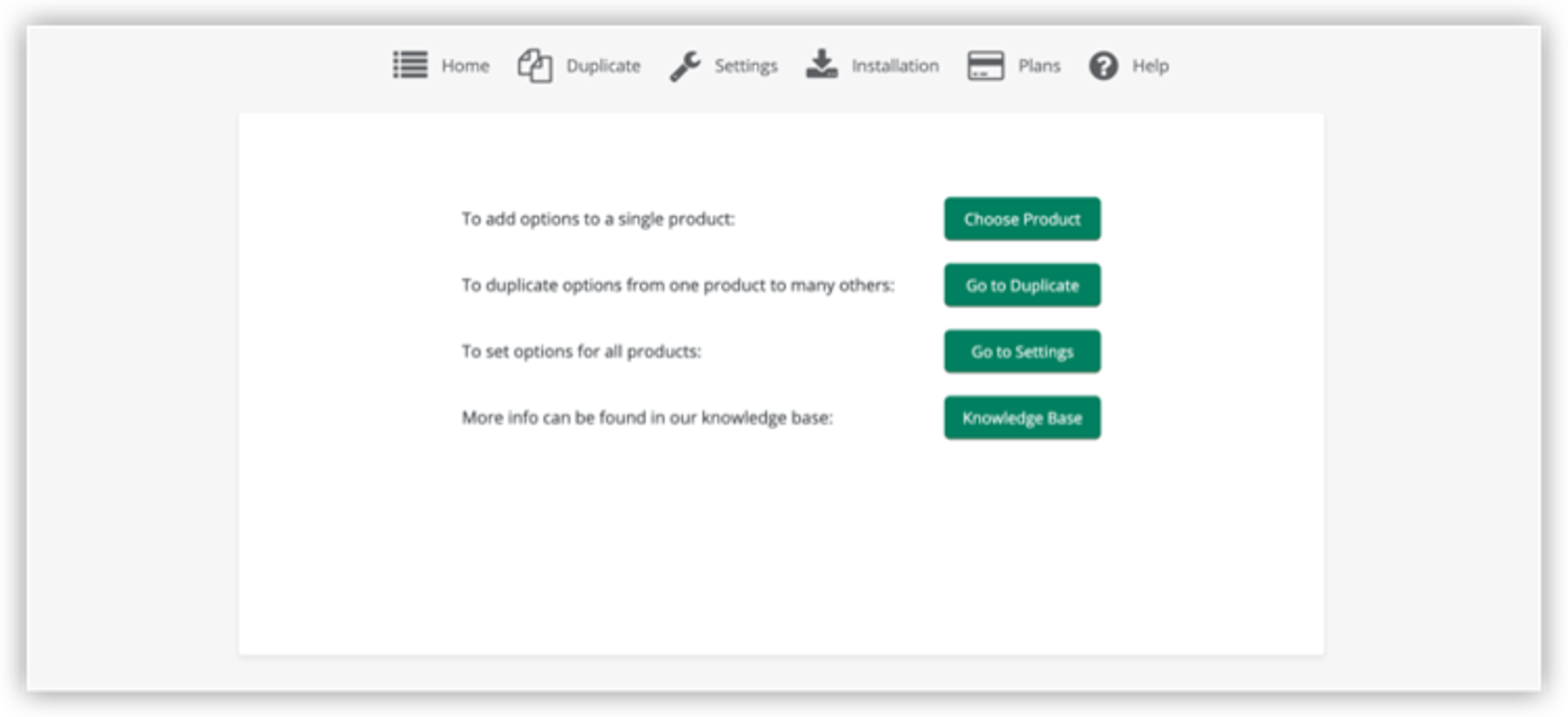
Upon opening the app, you’ll see this simple interface with buttons that direct you to what you need.
We love the details they thought of, including how large or small you want your swatch picker to appear on your website.
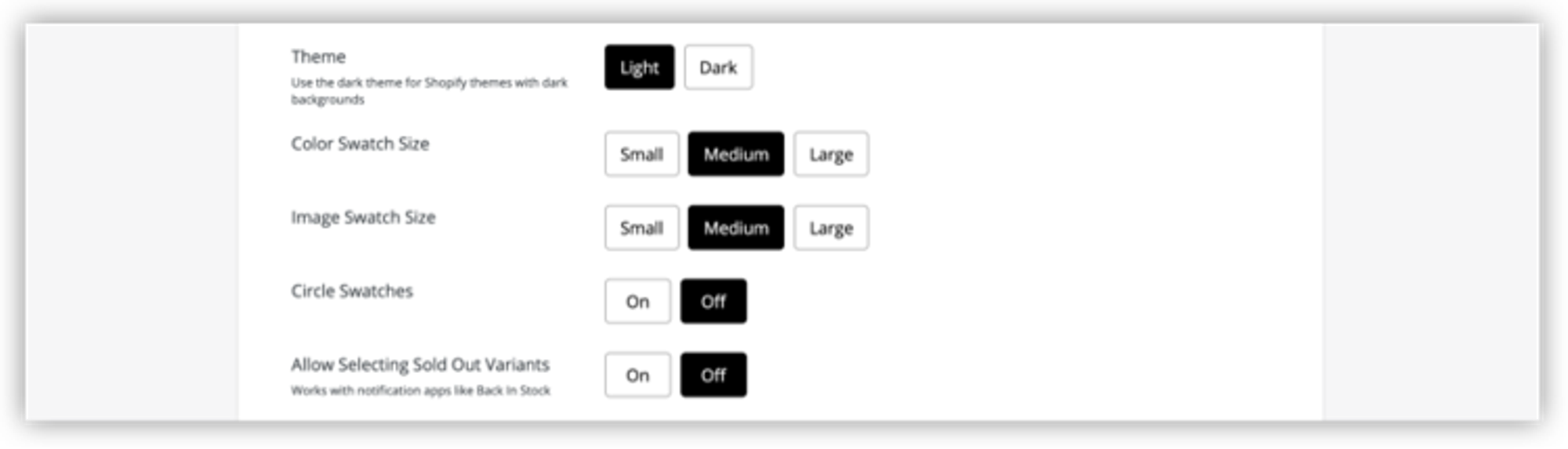
Here, you can see your options for changing the size for color swatches and images.
App features and limitations
- Automatically installs the code on your theme upon app download
- Color swatch picker in the app
- Duplicate feature lets you apply the same options to many products. Similar to a template
- Can use CSS to change appearance of options to match your business
- Set conditional options based on logic and other variant choices
- Can customize the look of each variant (i.e. button for size, drop-down for color for one product, then drop down for size and color in a different product)
- Great knowledge base
- Can interfere with other apps, especially discount apps. Only one app can be used to control the checkout process at a time
- Can run into installation error problems depending on theme
- Might be some price display issues on the cart if you have a customized cart, but the team is quick to solve if you have the issue
- Issues with loading speed can arise
Product Options and Customizer by Product Customizer
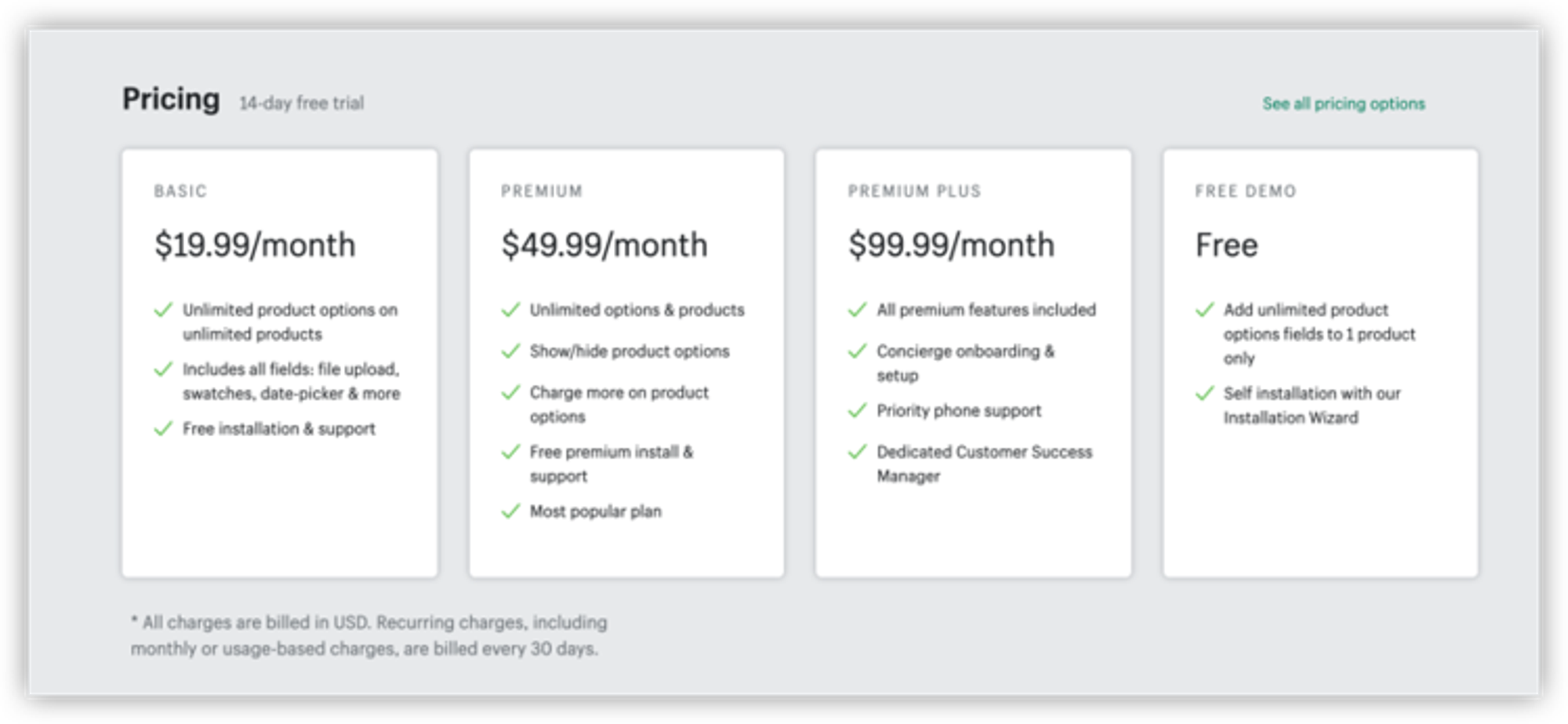
Price:$19.99-$99/month •Trial:14-day free trial •Installation type:manual
Great for
We recommend you pick this app if you run arestaurant,bakery or confectionery business.This app is one of the two apps to offer a date-picker, so your customers can select flavors and a date for their goodies to be prepared.
App overview
If you lack confidence in your tech skills, the Product Customizer team will help guide you through the app. However, if you prefer to get things moving quickly, you may want to explore other options. With Product Customizer, you have to manually install a piece of code into the theme or wait 30-90 minutes for a support person. Product Customizer's support staff will install the code for you or verify that you installed it correctly.
Product Customizer gives you great variant options to use like text boxes, dropdowns, swatches, and mode, and it also integrates with PageFly. Suppose you're looking for more features like per-option pricing and conditional logic. In that case, you'll have to upgrade to their Premium Plan. Full disclosure, some merchants have experienced issues downgrading their subscription plan, and there can be sync issues if you're using the WareHouse theme. Still, overall this is a highly-rated app for product options.
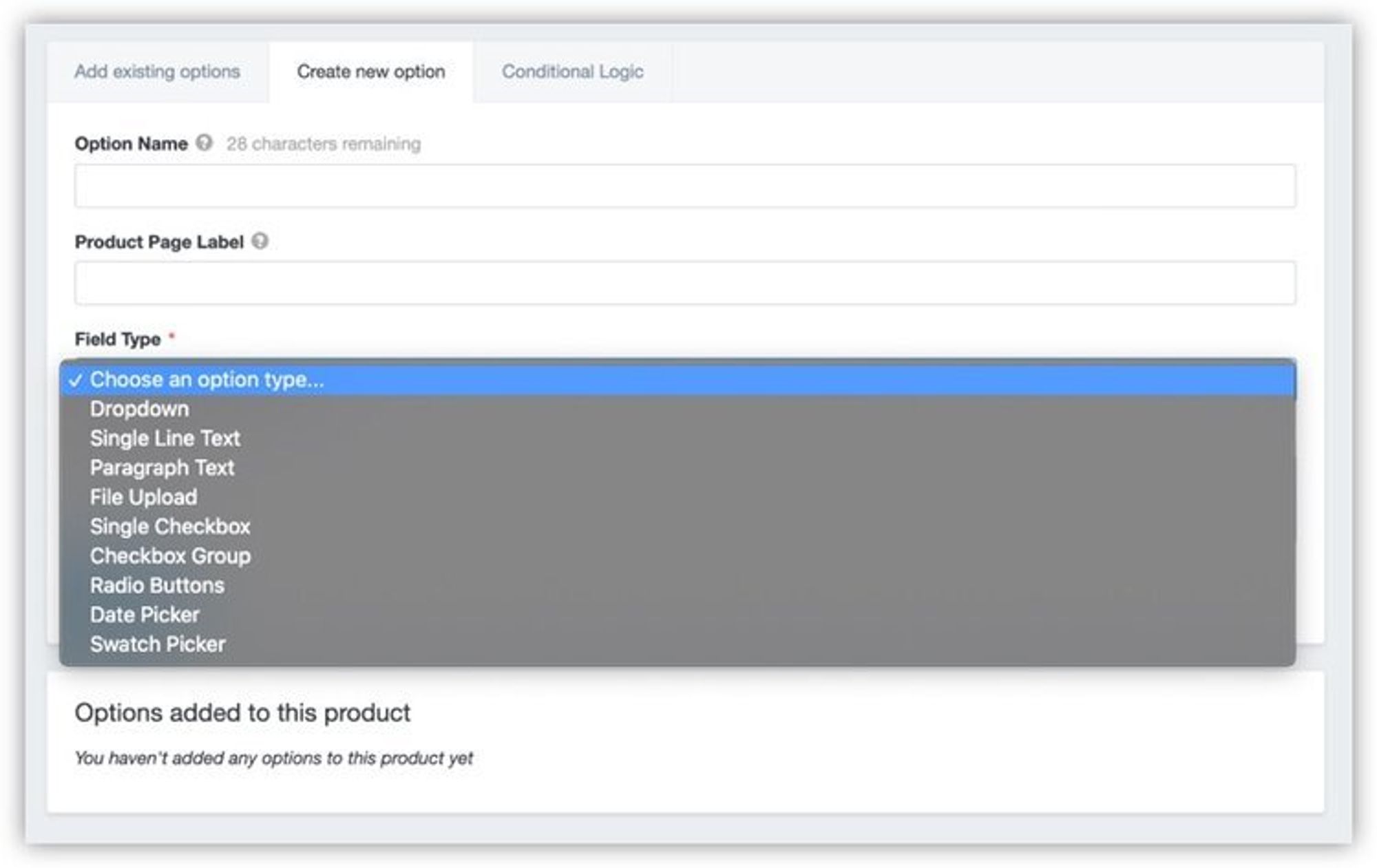
Here are the field options that you can choose from for your variant, including dropdown, single line text, and more.
App features and limitations
- Flexible variant options: text boxes, drop downs, swatches, checkboxes, file upload field
- Per-option pricing and add-on charges (Premium plan)
- Conditional logic (Premium plan)
- Easy installation and integration
- Integrates with PageFly
- Create product option templates to use across different products
- Have to wait 30-90 minutes for a support person to install or verify your installation
- Can be a sync issue with the Warehouse Theme
- Merchants have experienced issues downgrading their subscription plan
- Image uploads have problems if your theme has an AJAX cart (Debut)
- App can be slow to update customization changes
- Not the most UX friendly of the bunch. No onboarding or tool tips to help you get started, more trial and error, learn as you go
Infinite Options by ShopPad Inc.
Price:$8.99/month •Trial:14-day free trial •Installation type:manual

Great for
We recommend you pick this app if you haveproducts that frequently need conditional logic. Conditional logic will let you offer service fees, promotions, and more. For a low price, you get access to this feature
App overview
This app by ShopPad offers another great, budget-friendly option for your store, especially if you don't mind a manual installation. If you're not the best at placing code, you can pay a $20 installation fee, and the developers will do it for you. We love that you can create option sets in this app based on the product type and product tag so you can easily add options to all your products.
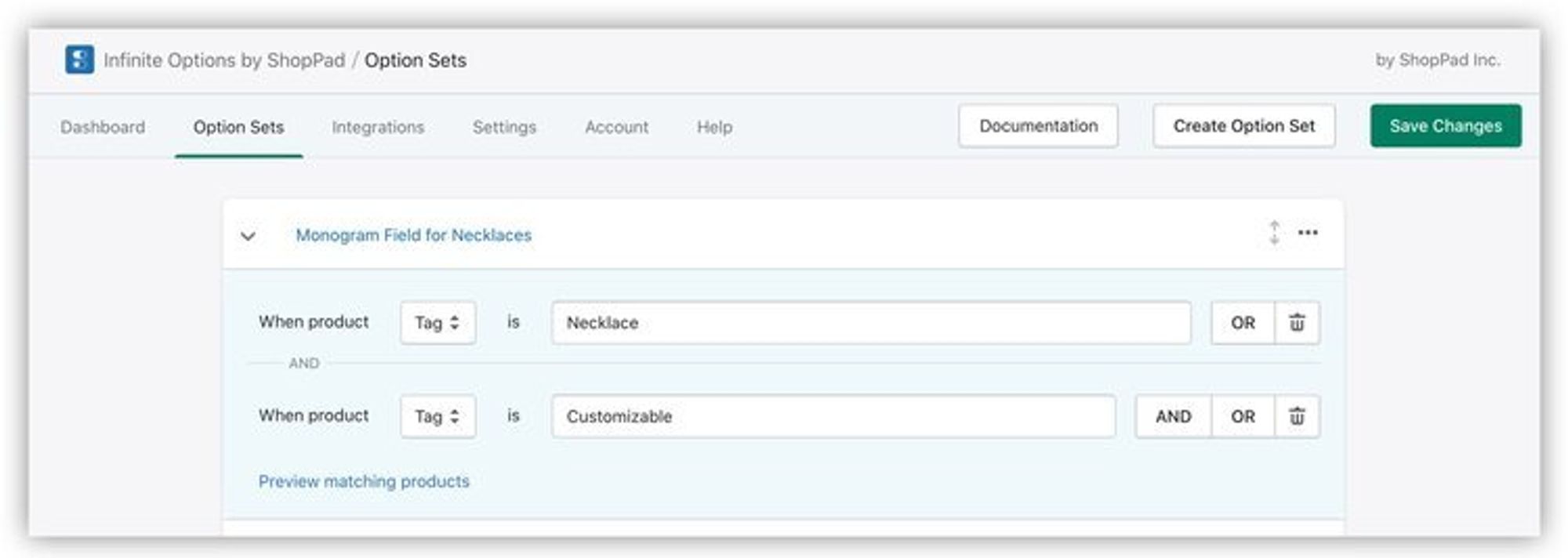
Under Option Sets, the app allows you to input your own unique tags.
For the low price, you also get conditional logic included with the app. This app comes with incredible default stylings on your storefront. However, if you'd like to make extra customizations to the product options' appearance, you'll have to know CSS. If you're looking for a basic and budget-friendly product options app, this is an excellent download.
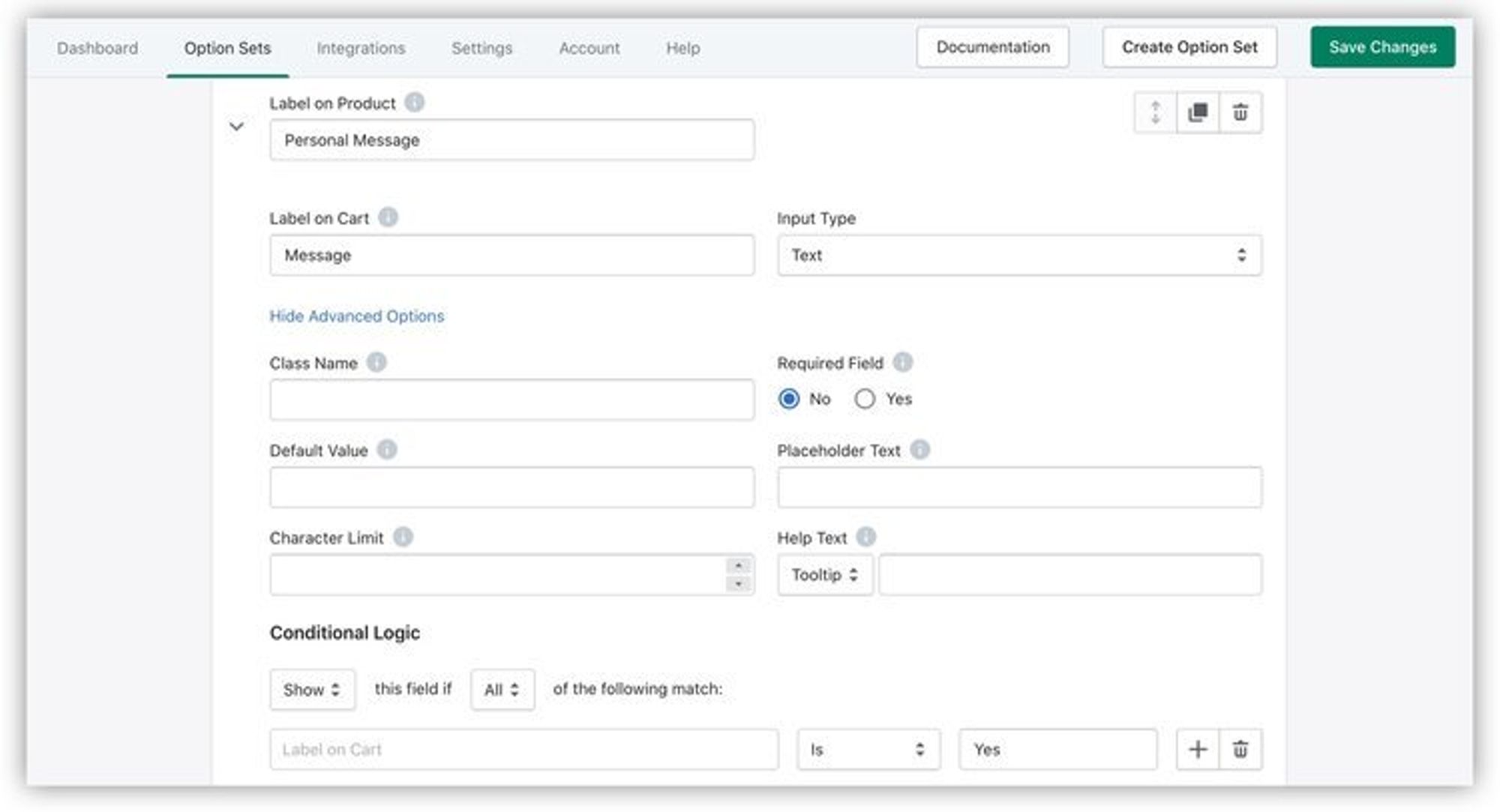
Under your options for tags, you can also fill out labels, class names, and other fields while also adding conditional logic.
App features and limitations
- The app integrates with automation to automatically send files and uploads to customers
- You can customize the look of your options with CSS
- Integrates with Shopify POS
- Custom dropdown box with multiple fields and many options
- Flexible selling options let you sell items by the fraction of an inch or charge for add-ons like assembly fees
- Has great email onboarding to help guide you through installation
- Offers unlimited variants and a depth of product options
- Offers conditional logic
- It's easy to duplicate options and variants to use on multiple products
- The app is well-documented including a video guide to help with setup
- Manual code installation
- $20 installation fee if you don't want to manually install the code.
- Will have to create and link a new product to charge customers price upgrades/additional costs
- You may need to reach out to support for styling help. You can customize to your brand but only if you know CSS
Bold Product Options by BOLD
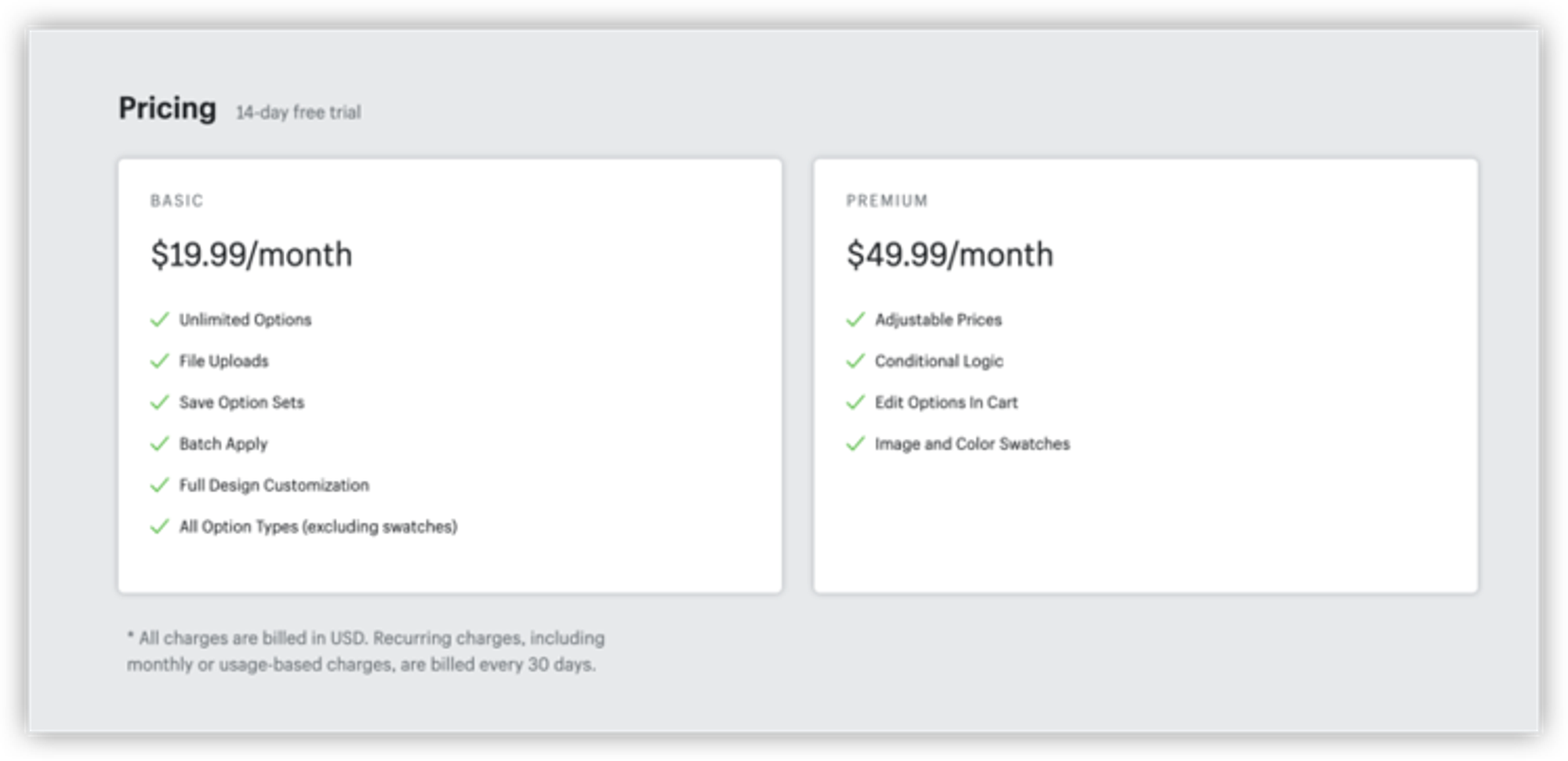
Price:$19.99-$49.99/month •Trial:14-day free trial •Installation type:automatic
Great for
We recommend this app forboutique businesses with a smaller but highly customizable product offering. Since this app creates many products in the backend, you can run into problems with Shopify and have a cluttered product admin if you already have large product collections.
App overview
Installation type: automatic
Bold Product Options works a little differently than most product options apps. The other apps mentioned in this article create their product options by using draft orders. Bold does it by creating products in the back-end of the store. When you install this app, you're automatically on the $19.99 plan. Still, you can upgrade easily within the app if you need the extra features in the premium plan, like product conditions and edit in the cart.
Like any Bold app, this one is easy to grasp and automatically installed without manual code placement. It also has excellent resources if you get stuck, like documentation, videos, and customer support people.

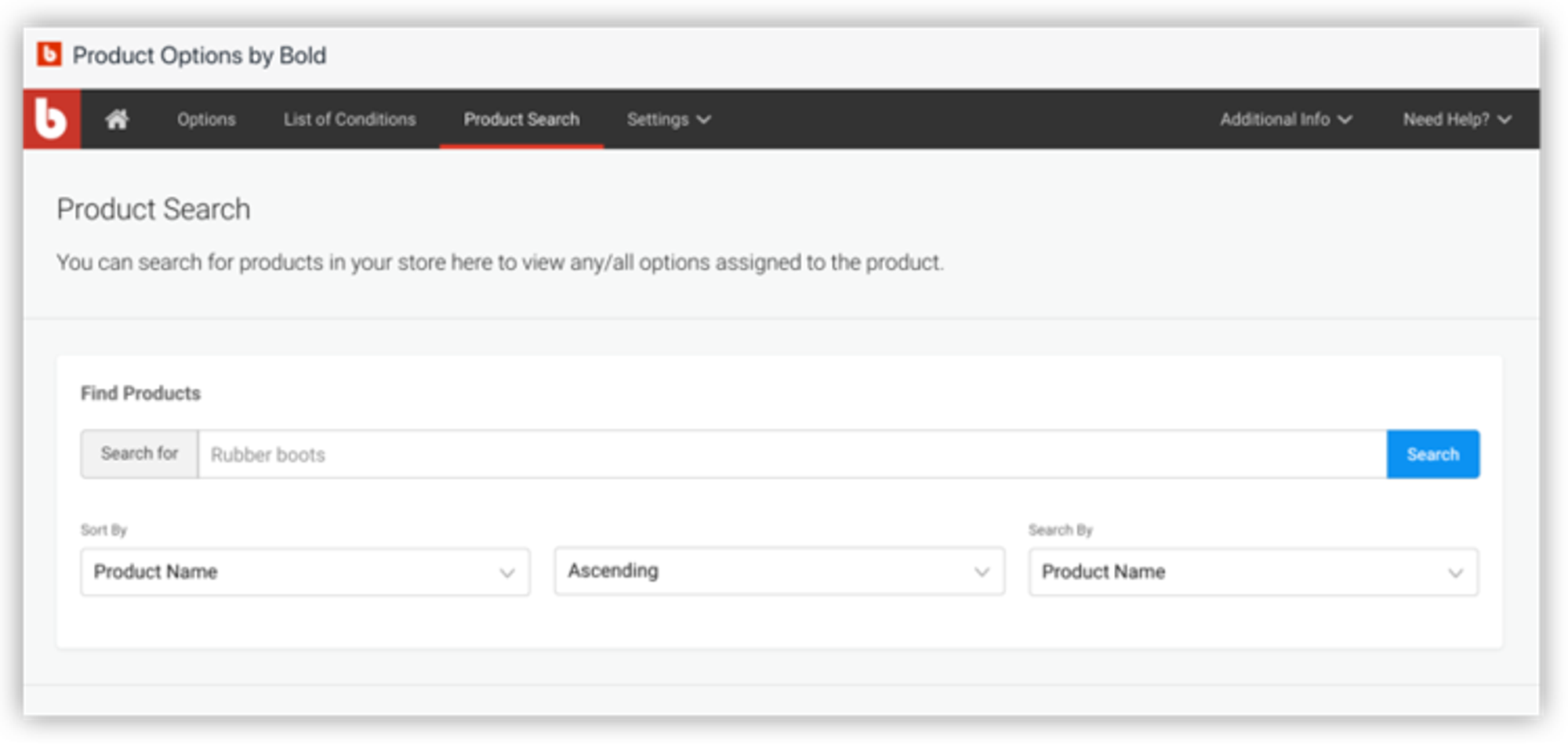
Creating many products on your store's back-end can lead to a messy product admin. However, the app has a great product search feature, so you can easily see your products and their variants:
We love this app's unique features:
- Bundle related items to cross-sell products
- Build a custom order form to provide your customers with a quote
App features and limitations
- Can duplicate product options to add to a select number of products (similar to templates) or apply all options to products
- Build custom order form to provide a quote
- Automatic install and easy onboarding
- Has a product search section so you can see all your existing product options
- Customers can upload files
- You can use CSS for customizations
- Bundle related items to cross-sell other products
- Insert tooltips and use custom language
- Product options and customization with conditional logic and pricing
- Custom fields: Dropdown menus - Checkboxes - Radio buttons - Color swatches - Image/ file uploads - Text boxes (single and multi-line) - Image swatches - Date
- Great knowledge base
- Since the app creates many products in the backend to offer product options, it can get messy
- Can be problems during installation if you have a custom theme or many customizations to an out-of-the-box theme
- The app is not compatible with checkout buttons that don't direct the customer through its checkout process
- Upload feature can be buggy with different file types/sizes
- Because of the Shopify API, the app is limited to support roughly 1000 products and variants combined. This limitation isn't related to the number of products that you are using the app on, but rather a limitation of the total number of products your store contains
And…there’s another option
Selling customized and personalized products comes with its own order management baggage:
- You'll have repetitive tasks
- Sometimes your Shopify add on apps error and do not charge the correct customization fees (we've seen it happen).
- Your customers can often want to make adjustments after they place their order.
On top of everything, since custom items can't reasonably be exchanged or returned, it's even more important to be able to accommodate your customer's requests. Knowing you have your operations covered when dealing with special orders is one less thing to keep you awake at night.
Cleverific Order Editor gives you the ability to add custom attributes like fields to capture donations or product specifications. Italsolets you edit properties on custom orders, even those with added variants from one of these other great apps. If you need to adjust orders daily, here's one more breakdown of an app to consider adding to your Shopify store:
Cleverific Order Editor by Cleverific
Price:$29-$299/month •Trial:14-day free trial •Installation type:manual
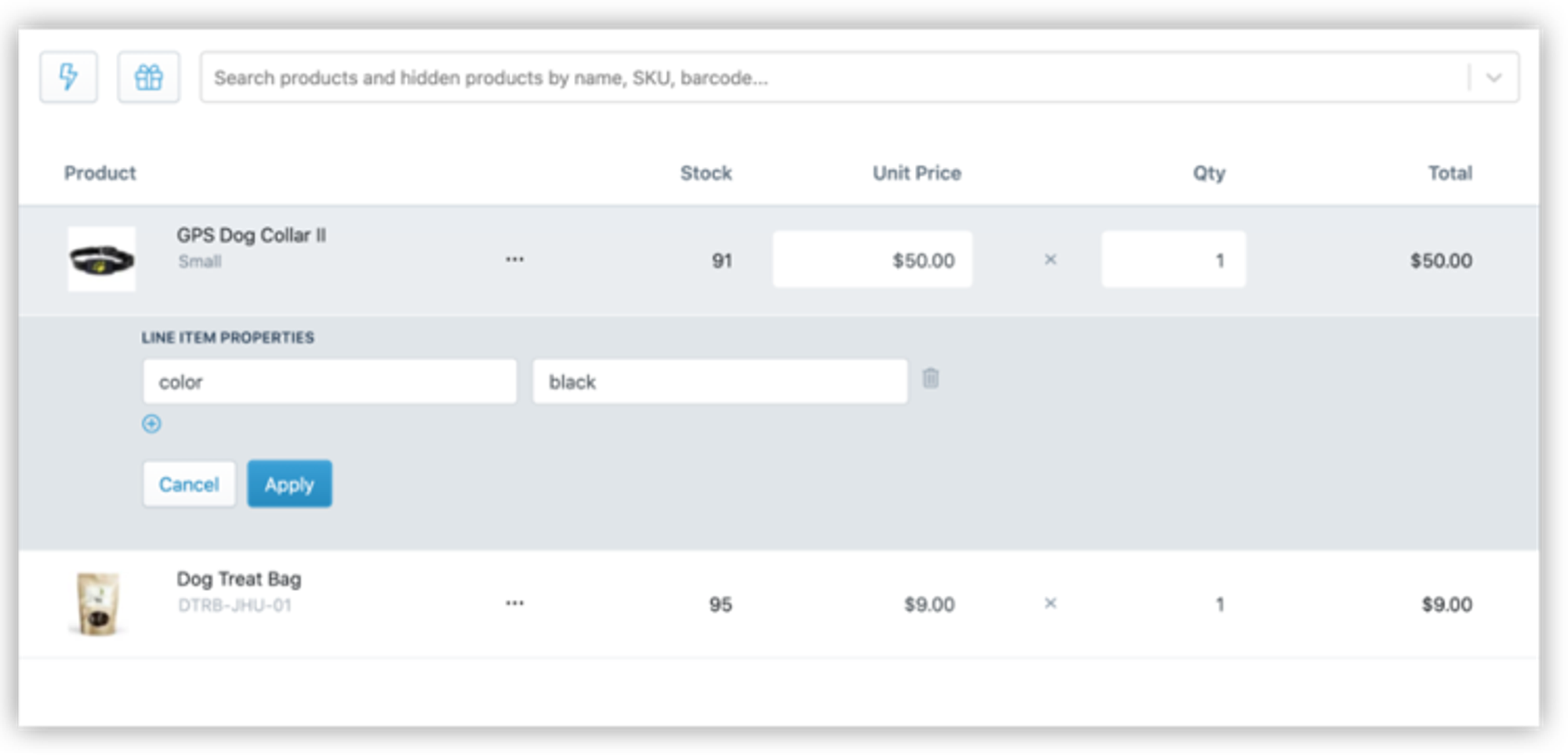
How to add a custom option to an item in Cleverific Order Editor
App features and limitations
- Edit and reorder line item properties, discounts, and prices in orders
- Access customer insights
- Integrated with Shopify Flow
- Edit shipping method and billing address
- Edit taxes
- Create product sets to easily add products to orders
- Combine and split orders
- Add custom fields and line item properties
- Create customer-specific pricing rules for wholesale and loyalty orders
- Edit product variants
- Automation for adding gifts and samples to orders based on logic
- Amazing customer service
- Well-documented with regular publishing of guides, case studies and ecommerce news
- Bundle product expansion for warehouse ease-of-use
- If using Shopify reports for reporting, you need to filter out cancelled orders to get accurate reports
- For more advanced order edits, the app will automatically cancel the original order and create a new order with the advanced edits
Now that you’re familiar with product option apps, what’s next?
- Get bundling strategies you can use to boost your profits
- Become more of an ecommerce expert with terminology like AOV
- See how to fulfill bundles of your custom products faster with automation
Deanna is theContent Marketing Manager at Cleverific, Inc., formerly from the Shopify Apps and Partner team. She enjoys writing about ecommerce to help entrepreneurs grow their businesses. She lives in the countryside of Canada's capital with her husband, her exceptionally perfect dog Leo, and her exceptionally loud dog Cece.
Recent posts
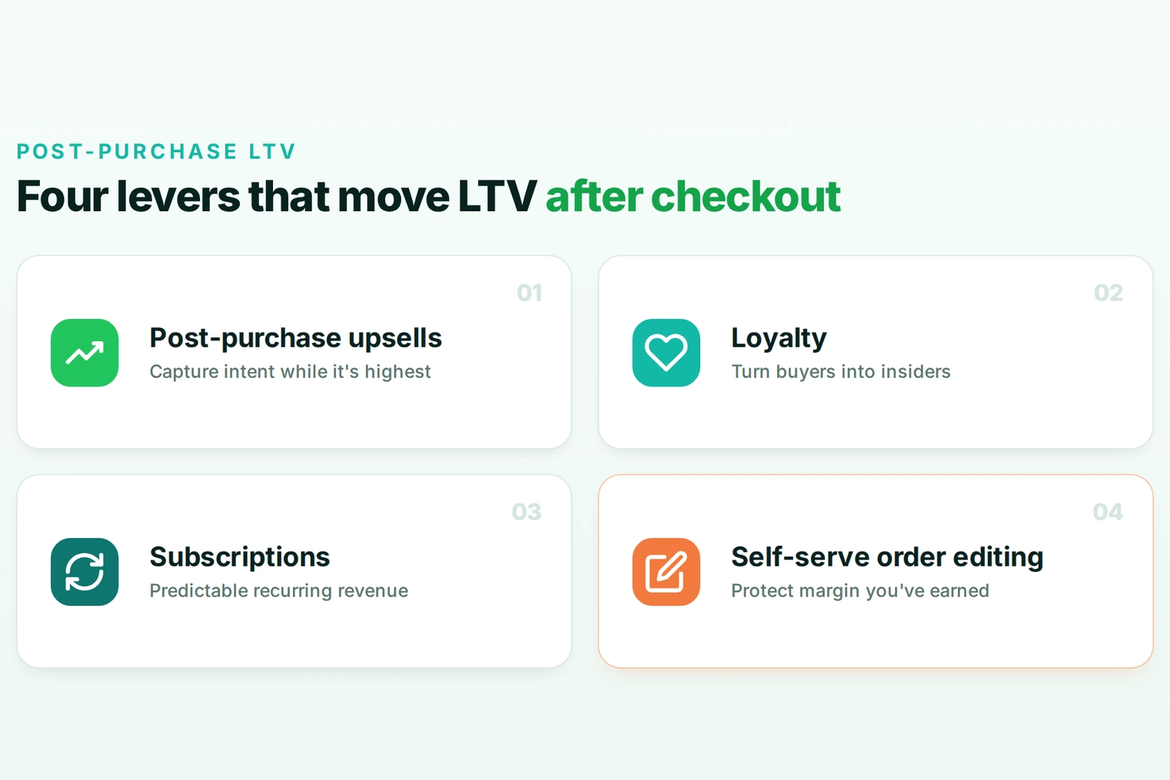
Self-serve order editing
Let customers fix
their own orders.
Give shoppers a short window to edit their Shopify orders after checkout. Cut your most frustrating support tickets and capture more revenue before fulfillment.