
Tuesday, August 25, 2020
Heavy-hitting ecommerce automation is here with Edit Order + Shopify Flow

Great news!
You now have a new powerful tool to run a better business with the strength to automate those repetitive order-editing tasks.
Selling promotions and bundles without automation can feel like walking down an escalator that’s going up; tedious, time-consuming, and pointless. Accessthe only workflow actions that will edit your customer's ordersby:
- Automatically add promotions, samples and special items to increase customer loyalty
- Automatically replace subscription and bundle products with specific line items to streamline fulfillment
If you're struggling to fulfill your bundles and subscriptions, add country-specific adaptors to your products, or want to surprise and delight your customers with gifts or samples, download Edit Order and the Shopify Flow app and see how easy automation can be.
Focus on turning browsers into spenders
As a power merchant, you know that offering bundles, subscriptions, or gifts with purchases are great strategies to encourage customers to spend more. Store owners have wasted a lot of time on order-editing tasks to implement this strategy ... until now!
Here's an example of how marketing automation for promos can help your business.Your store sells phone cases, but you have some overstock of screen protectors. You realize that this is aperfectopportunity to increase engagement and loyalty to your brand by including a free screen protector for new orders. There's just one problem, depending on the phone case, each screen protector will be different.
Before automation, if your customers place an order, you'd have to go into each orderto see which case they bought and manually add the screen protector to the purchase.
With Edit Order's new actions for Shopify Flow,Edit Order will detect the order automatically, and then add the proper SKUto your customer's order.
On your backend, you'll see all the SKUs you need to fulfill the order, and your customer will be delighted when you deliver their order with an extra surprise.
It's time to abandon workarounds and manual order-editing tasks and switch to intuitive automation tools like Edit Order's Shopify Flow actions.
Want to to try out automation but need a little more info? We’re happy to chat!
How does it work? ⚙️
Using Edit Order with Shopify Flow workflows can enable all kinds of different actions. You can set actions like:
✅ Add an EU adaptor
✅ Add a promotion item
✅ Add special packaging
✅ Replace a single bundle SKU with SKUs for all bundle products (early access)
✅ And so much more
These actions are a part of Shopify Flow workflowtemplatesthat are made up of three parts :
- Trigger: An activity that activates the automation, i.e. “order placed.”
- Condition: A rule for the workflow, i.e. “order total is over $100.”
- Action: The action you'd like your workflow to perform, like the examples above!
You don’t need to go to great lengths to create a workflow. Here are the steps to create a workflow that adds a free item or bundle to your customer’s order:
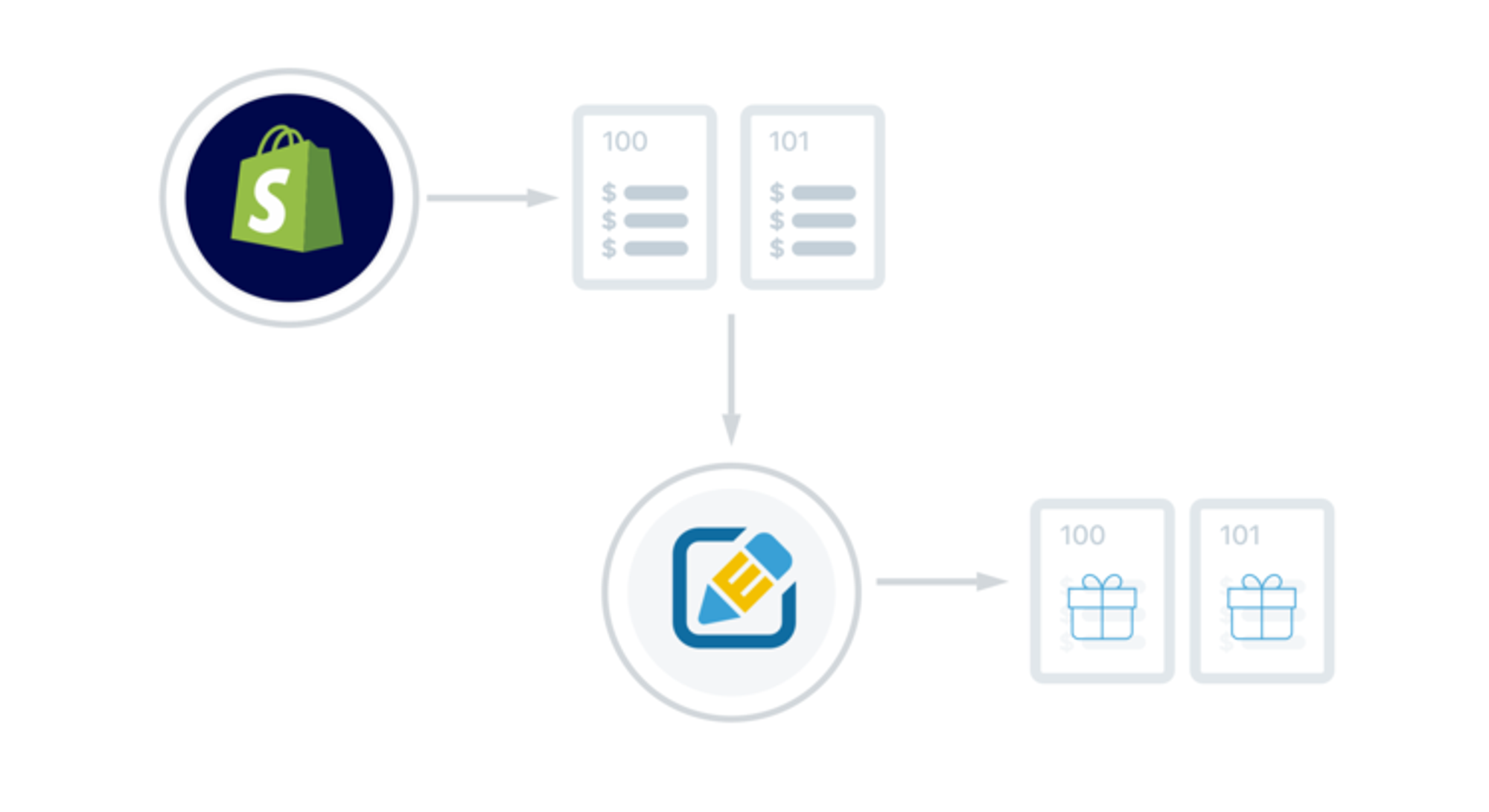
Getting started with marketing automation for promos
- Install the Shopify Flow and Edit Order (You'll need to upgrade to Edit Order’s Professional or Premium Plus plan — with a no obligation 14-day trial period — to set up this offer
- In your Shopify admin, go to apps, open Edit Order by Cleverific and on the dashboard, click View Flow Actions
- Click New Edit Action, then click your desired action. In this case click the Free item box
- Name the promotion in the header at the top of the page and then click Add Product. Edit Order will discount the item to $0 and add it to cart
- Click to copy the Action ID near the top of the screen and then open Shopify Flow
- Press Create Workflow and then Add trigger to set conditions for your workflow. Navigate to Edit and Add Item in the action menu, paste {{order.id}} in the top box, and insert your action ID in the second box
- Save your workflow to turn on your automation 🎉

Getting started with bundle automation
- Install Shopify Flow and Edit Order (You'll need to upgrade to Edit Order’s Professional or Premium Plus plan — with an obligation-free 14-day trial period — to set up this offer
- In your Shopify admin, go to apps, open Edit Order by Cleverific and on the dashboard, and click on the Bundles tab and click New Bundle to start your automation set up
- Click Select Bundle, then search for your bundle product to add
- Name the bundle automation and add the individual products that make up that bundle. Edit Order will discount items to $0 and add them to cart
- Save your bundle in Edit Order. You can add as many bundle configurations as you like. Once you’re done, open Shopify Flow
- Press Create Workflow and then Add trigger to set conditions for your workflow. Set the Start When condition to “Order created” and navigate to Expand Bundles in the action menu. Paste {{order.id}} in the top box
- Save your workflow to turn on your automation 🎉
This bundles action is released for all Shopify Plus merchants.
Before you get started
Limitations
While automating advanced order editing is magical, all magic comes with some conditions. If you’re using third-party apps that are not compatible with Shopify Checkouts like a legacy version ofReChargeor the Amazon channel to create orders, these orders can’t be edited through automation.
Check out the FAQfor more details.
What happens if I need to turn off the workflows?
It's just as simple to hit the brakes on automation as it is to start it. To turn the workflow off, select your desired workflow and click theWorkflow offbutton in the Shopify Flow app. If you decide that you want to switch up the promotion or bundle products, clickEdit workflowinstead.
Empower your enterprise ✊
Your business has a lot of moving parts, and the best way to manage that complexity is with thoughtful automation. Implementing order-editing automation will not only save you time to work on other growth strategies, it will increase your customer loyalty by providing high impact, low-touch experiences.
Today, you'll have full access to our promo actions and bundle automation actions.If you have additional questions, please contact us!
If you have a problem you'd like to solve with automation, we're here for you.Send us an emailand we'd be happy to review your scenario and see how Edit Order can help you automate your orders to incentivize customers and generate more sales.
Start automating your promotions.
Deanna is theContent Marketing Manager at Cleverific, Inc., formerly from the Shopify Apps and Partner team. She enjoys writing about ecommerce to help entrepreneurs grow their businesses. She lives in the countryside of Canada's capital with her husband, her exceptionally perfect dog Leo, and her exceptionally loud dog Cece.
Recent posts
Self-serve order editing
Let customers fix
their own orders.
Give shoppers a short window to edit their Shopify orders after checkout. Cut your most frustrating support tickets and capture more revenue before fulfillment.