
Wednesday, August 11, 2021
How to set up 4 automated workflows for gifts with purchase
The best marketing automation tool for upcoming sales promotions
Nothing piques a customer's interest like the promise offree gifts. As a customer yourself, you've no doubt bookmarked a treasure trove of good deals. It's the best feeling to find the perfect package that not only satisfies your needs, but also comes with extra goodies! But while promos are like magic for your customer, actually scheduling these promotions can be a hassle filled with constant adjustments and repeated setup.
Or—you could eliminate some of that promotion headache.Using Edit Order + Shopify Flow, create and customize quick and effective workflows for free gifts.
What are different types of marketing automation that I can set up?
These 4 automated workflows will help youspeed up your order fulfillment process for gifts with purchase:
- Add a free gift with purchase
- Add a free gift with a purchase over $100
- Add a free gift with a purchase using a discount code
- Add an exclusive free gift for loyalty tier customer purchases
Let Edit Order + Shopify Flow handle some work for youand save time and energy that you need for other aspects of your business. All of these workflows only need to be set up once and will continue to run until you deactivate them. In this article, you'll get detailed instructions for these 4 workflows to get you ready for success with your promotions.
Before you get started, make sure that you’re a Plus merchant, have Premium Plus, have downloaded Shopify Flow, and are on the latest version of Edit Order.
Let’s dive right in!
WORKFLOWAdd a free gift with purchase
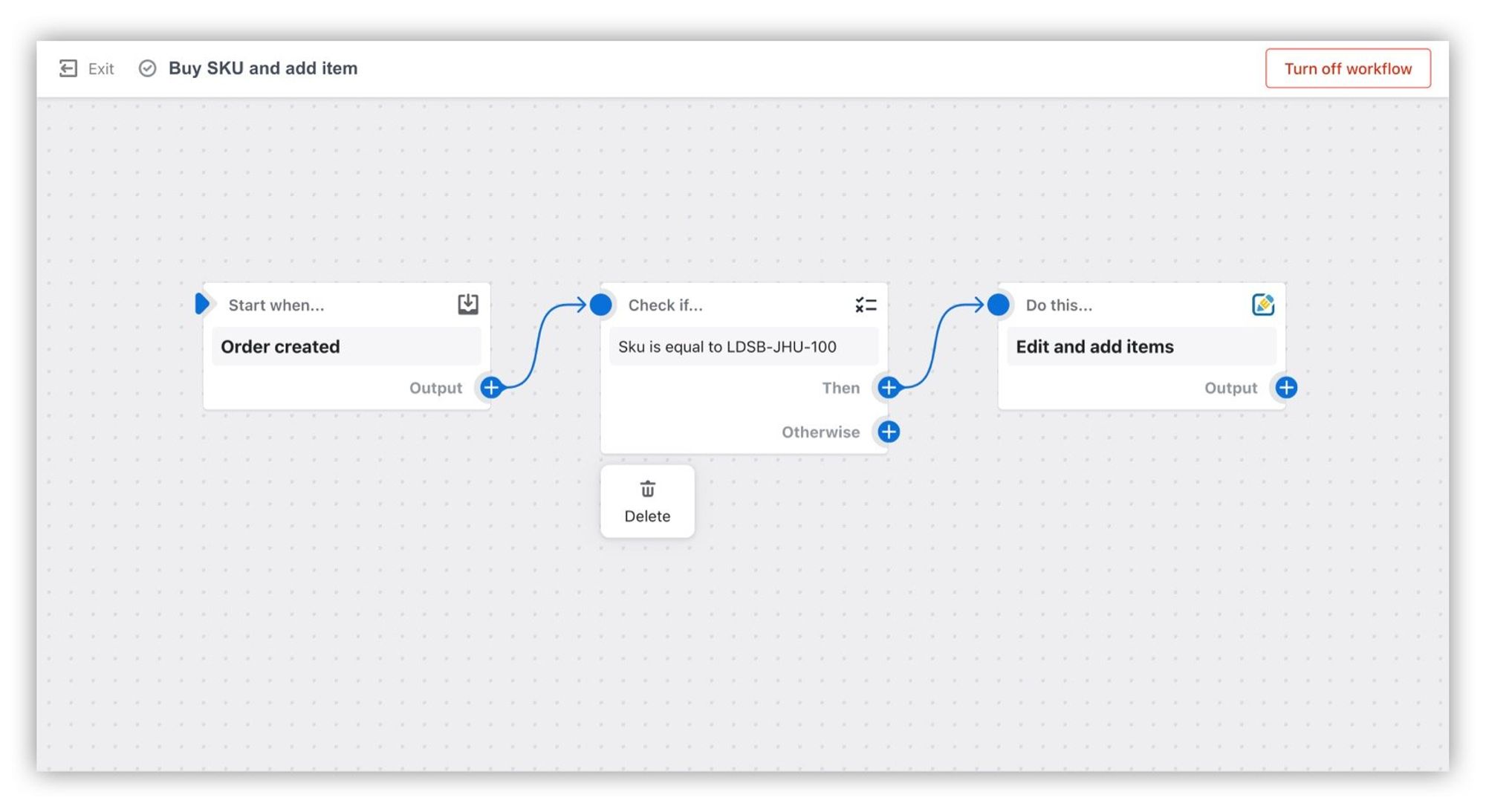
Once your customer places an order for a certain item, this workflow will instantly add the SKU for your free item!
Here’s how to get set up:
1.In Edit Order, navigate to View Flow Action.
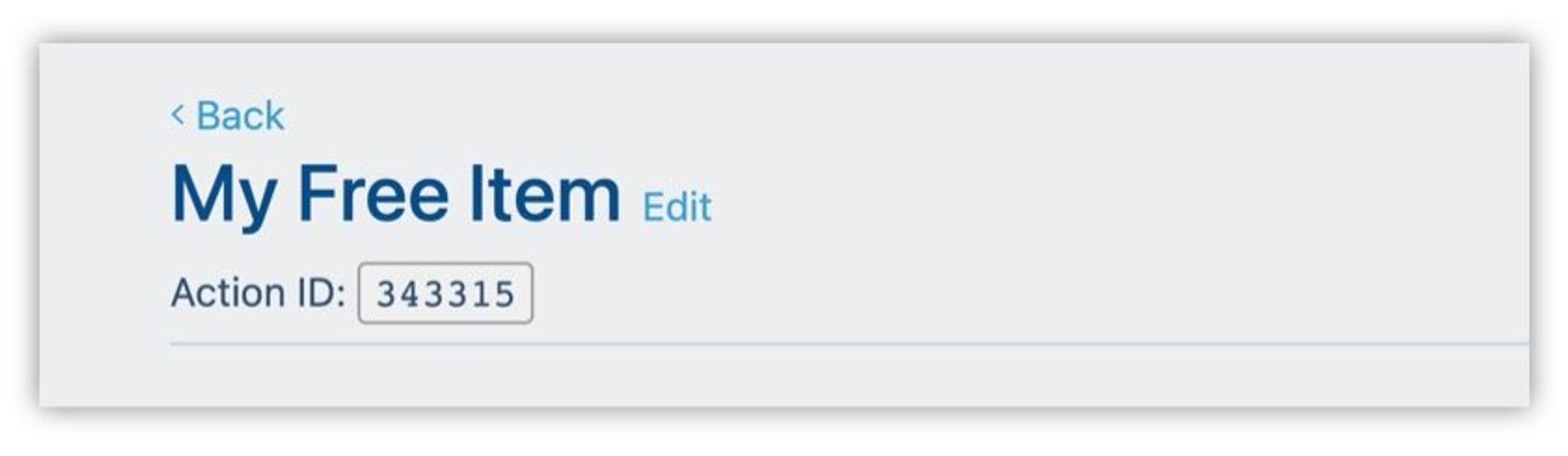
2. Set up and save yourFree Item
3. Copy yourAction ID, which you can find below:
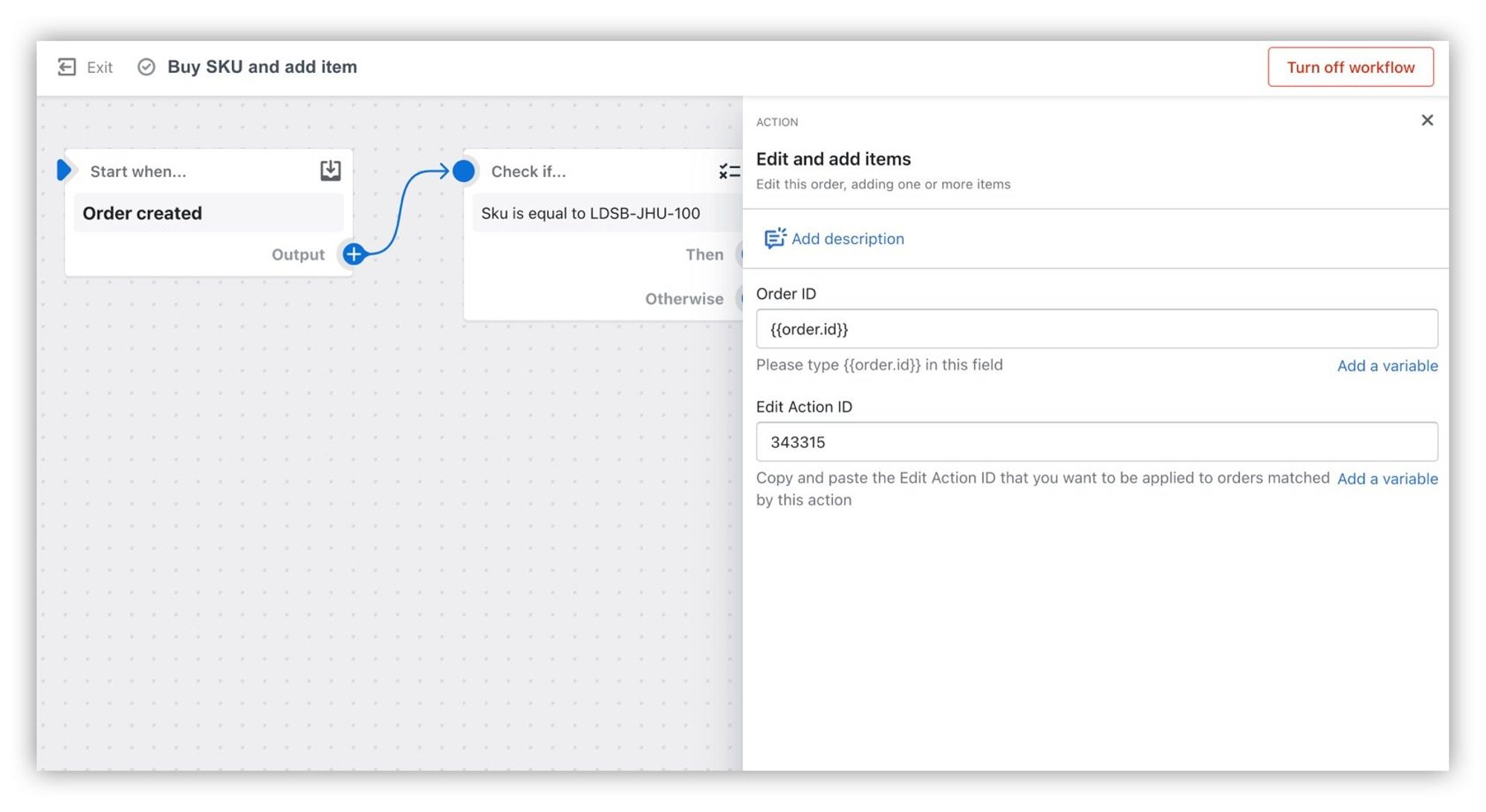
4. Navigate toShopify Flow.
5. Add your trigger, and then add your SKU for your Condition by clickingOrder>lineItems>Sku.
6. ChooseEdit and add itemsfrom Cleverific for your Action, and paste your action ID from earlier.
Once you’re finished, remember to turn on your workflow if you haven’t yet!
This option is great for:
- A free item with an exclusive purchase (from a special event or collection)
- A free sample with a specific purchase (a larger amount of the sampled product or similar item)
- An item with free gift wrapping
WORKFLOWAdd a free gift with purchase over $100
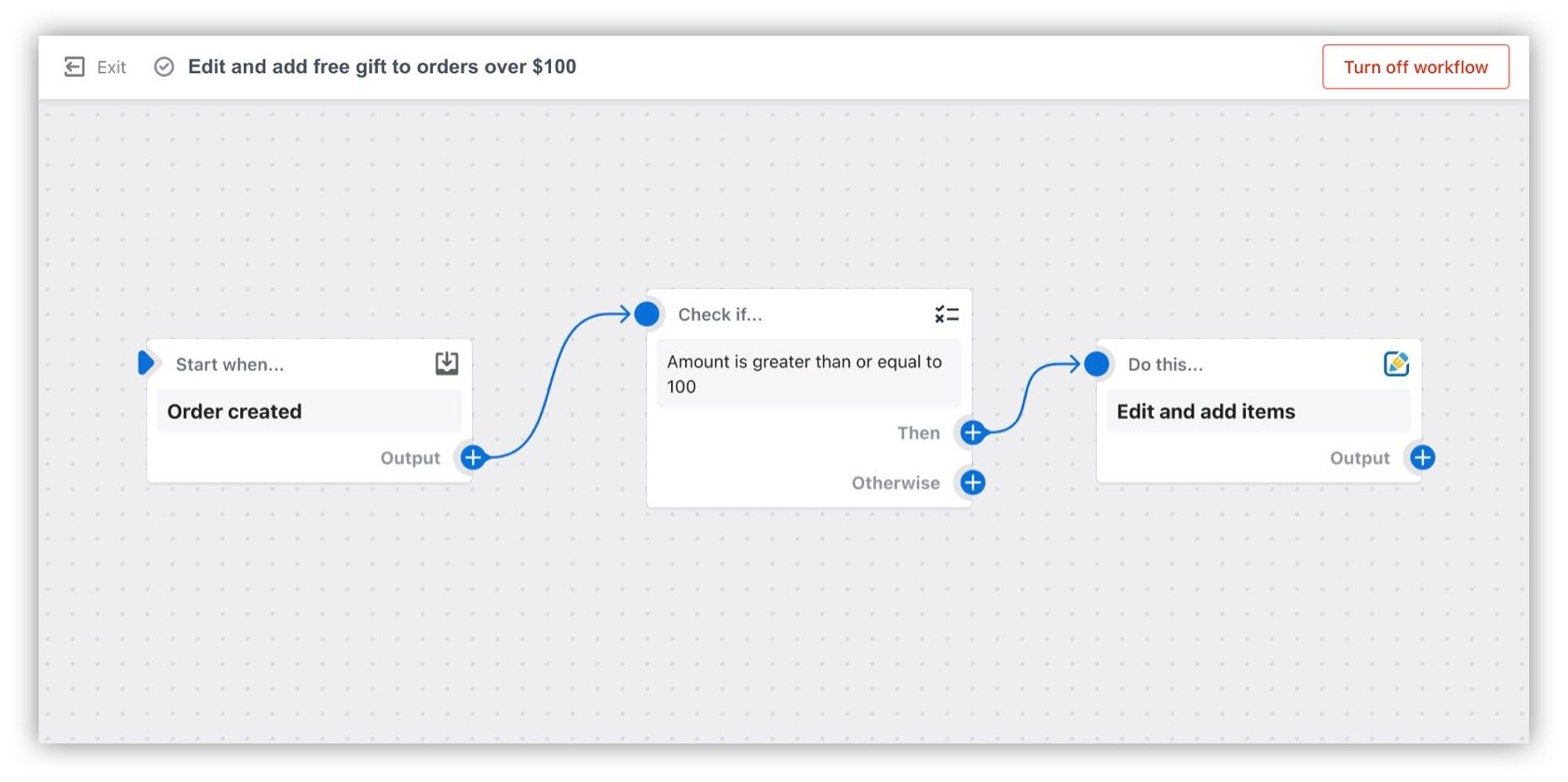
Thank your customers for their larger purchases and automatically add the SKU of your free item promo to orders of more than $100.
This workflow is alreadyavailable in Shopify Flow as a template.
Here’s how to get set up:
1. Create your free promo item inEdit Order
2. Copy theAction ID
3. Navigate toShopify Flow
4. Choose“Edit and add free gift to orders over $100”under Templates
5. Paste yourAction IDfor your free promo
6. Once you’re finished, remember to turn on your workflow!
This option is great for:
- Stores with premium products for higher prices
- Stores with a large product inventory
- Stores with limited edition items that need to sell out
WORKFLOWAdd a free gift with purchase using a discount code
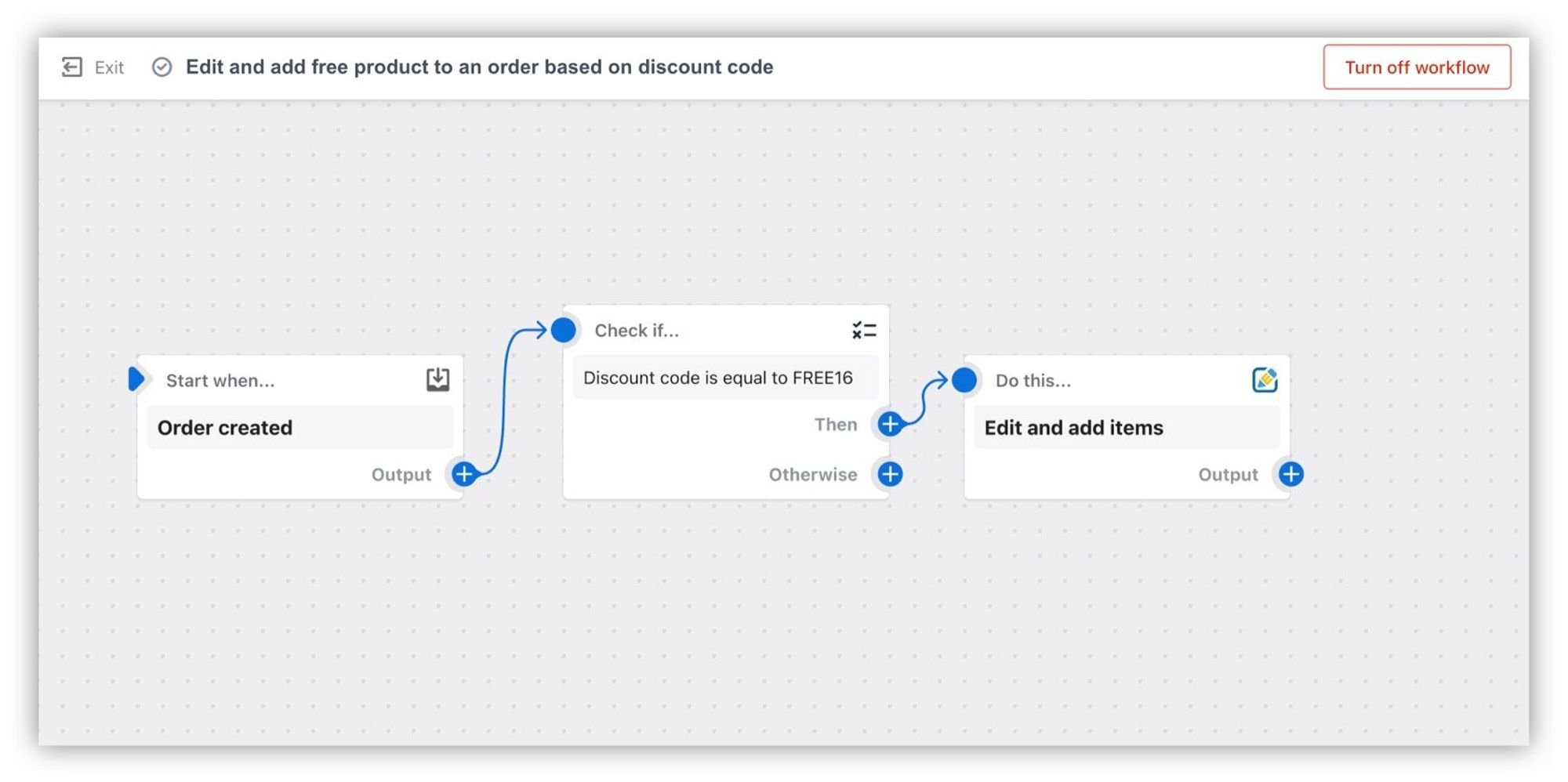
Everyone loves a discount! Promote your product with a free gift that your customers will get when they use your code.
This workflow is alsoavailable in Shopify Flow as a template.
Here’s how to get set up:
1. Create your free promo item inEdit Order
2. Copy theAction ID
3. Navigate toShopify Flow
4. Choose“Edit and add free product to an order based on discount code”under Templates
5. Insert your owndiscount code
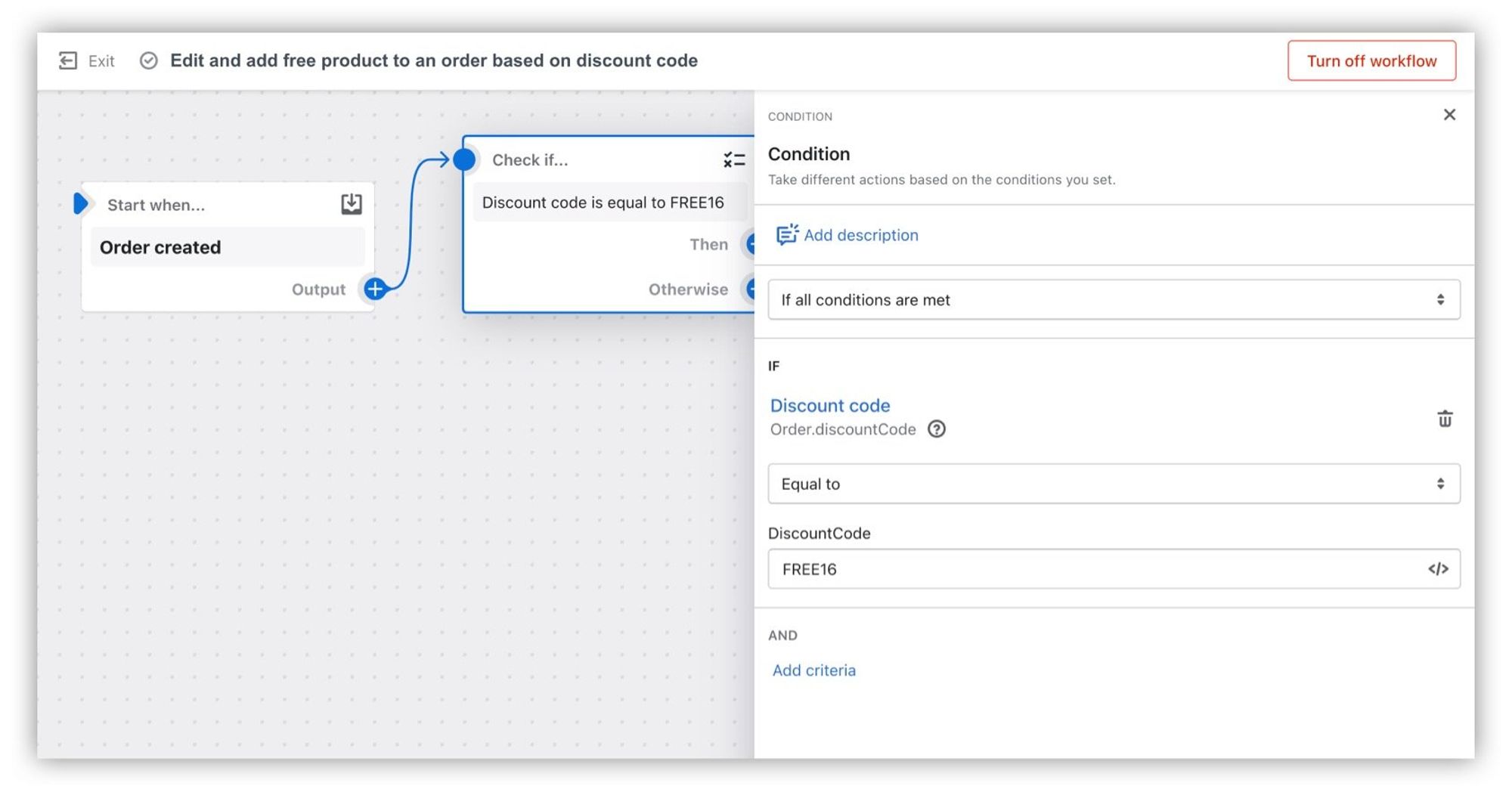
6. Paste theAction IDfor your free promo
Once you’re finished, remember to turn on your workflow!
This option is great for:
- Creating excitement around another product or collection (the free one you're promoting)
- Bringing awareness to an exclusive product (the one you're selling)
- Upcoming sales to show your customers that there's more where that came from
If you have questions or are stuck, check out thisthis video tutorial.
WORKFLOWAdd an exclusive free gift for loyalty tier customer purchases
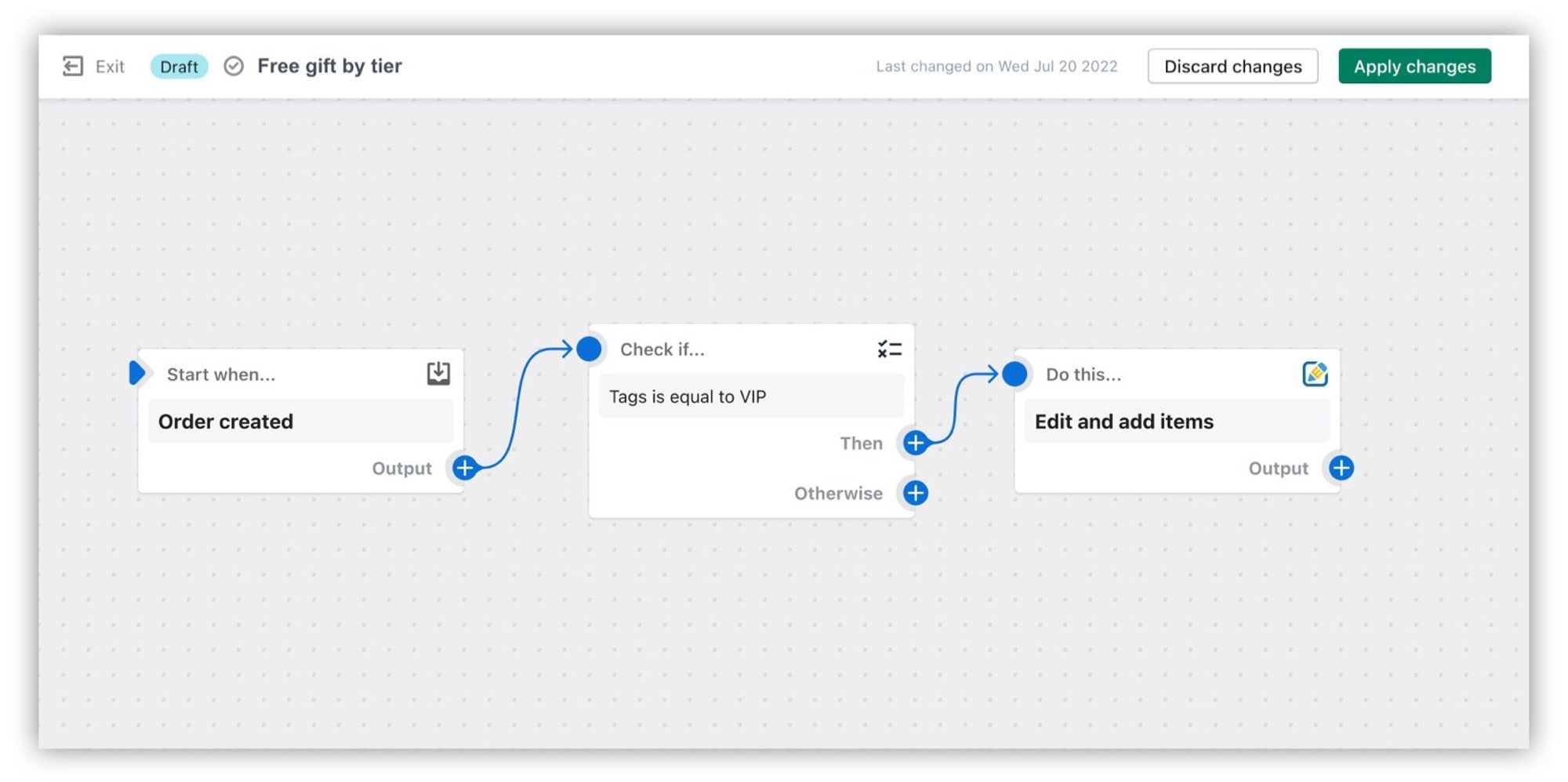
Surprise customers in your club or VIP membership with gifts free with purchase, depending on their loyalty tier. While this workflow doesn’t have a template or built-in action in Edit Order, it follows a similar format.
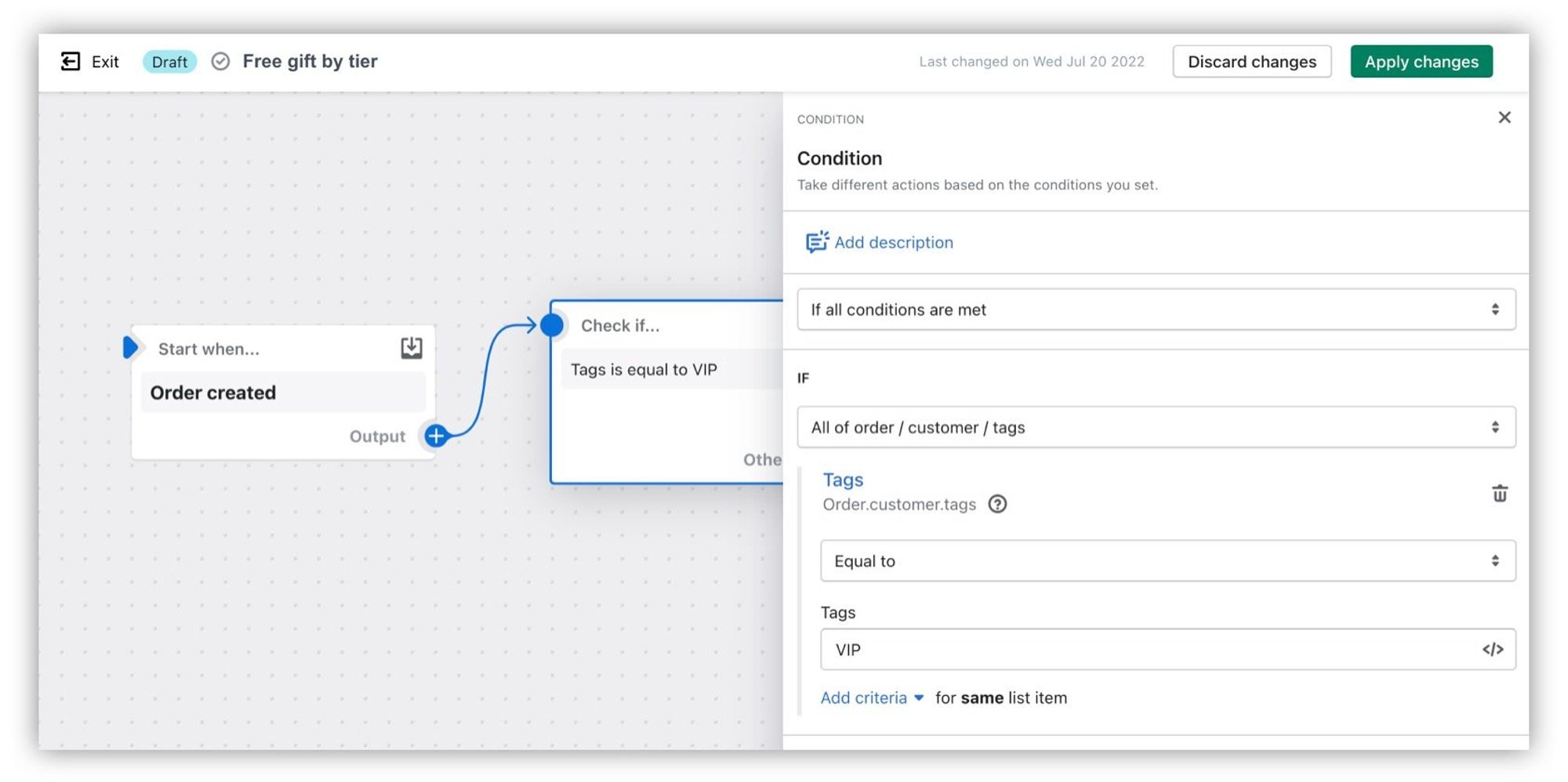
Here’s how to get set up:
- Create your free promo item in Edit Order
- Copy the Action ID
- Navigate to Shopify Flow
- Choose a trigger for your workflow
- Choose your loyalty tier with Order customer tags
- Paste the Action ID for your free promo
Once you’re finished, remember to turn on your workflow!
This option is great for:
- Creating buzz around exclusivity
- Incentivizing customers to become a member
📣 Edit Order automation is coming soon for Shopify Advanced merchants.Notify me when it's available
What’s the next step for your Shopify store?
- See it in action in this video tutorial on how to set up promo automation
- Get more promo ideas from this broad overview of your options
- Check out how to streamline order fulfillment for bundles with Edit Order + Shopify Flow
Recent posts
Self-serve order editing
Let customers fix
their own orders.
Give shoppers a short window to edit their Shopify orders after checkout. Cut your most frustrating support tickets and capture more revenue before fulfillment.